


Quizzes are powerful lead magnets that convert at an average of 40-50%. Learning to create a quiz website can help you generate leads. They are fun and allow you to learn about your client base.
This guide takes you through simple steps to create a quiz website from scratch. You’ll learn to choose the best platform and craft engaging questions.
Creating an interactive quiz website can attract and engage visitors, but it requires the right platform. Website builders allow you to set up quizzes, customize layouts, and manage content without technical headaches. Check out our recommended website builders to start your quiz website quickly and professionally
Build Your Quiz Website Easily with Top Website Builders
| Provider | User Rating | Recommended For | |
|---|---|---|---|
 | 4.6 | Beginners | Visit Hostinger |
 | 4.4 | Pricing | Visit IONOS |
 | 4.2 | Design | Visit Squarespace |
Why Build a Website for Interactive Quizzes?

Consider some top reasons why people build websites for interactive quizzes:
The Power of Engagement and Audience Insight
Quizzes are a highly engaging way to beta-test new product ideas or services. They gauge audience interest in a prospective product or service. Think about it this way: when someone takes your quiz, they actively participate rather than passively consume content.
This involvement provides an awareness of your clients’ goals and needs through their correct answers. You can then build your offerings around your audience rather than guessing what they want.
Superior Lead Generation with High Conversion Rates

The average lead magnet converts at a rate of 20-25%. This is about half the rate of interactive quizzes, at 40% to 50%. The superior performance happens because quizzes offer immediate value.

Think of it this way: you’re more likely to enjoy learning about yourself than providing your email to access personalized results.

Step 1: Set Up Your Online Quiz for Success
Set a Single, Clear Goal for Your Quiz
Define a primary objective for your quiz. It could generate leads for a specific service or push users to purchase. Multiple goals create confusion and reduce effectiveness.

The quiz result should relate to your existing products or services. Customize your quizzes to suit your services and products. A fitness quiz might reveal someone’s workout preferences, allowing you to recommend your training program.
If you teach online lessons, quizzes can help your students focus and be actively involved. Use live quiz sessions where participants join from their own devices and see real-time scores.
Teachers can review these scores to see how well the class is keeping up with the material.

Choose a Niche Topic to Attract a Target Audience
It’s smart to choose a niche for your quiz website. Categories like video games, geography, interior design, or personal development attract different visitors. Careful market surveys can give you ideas on who your primary audience is.
Niches help to avoid direct competition with larger sites like BuzzFeed. It also serves your audience better. Your niche approach allows you to create targeted content that resonates deeply with participants.


Namecheap
Step 2: Design Your Quiz Structure and Results
Define Your Result Types First
Create the result types before writing the questions. This leads to a more cohesive and effective quiz. A backwards approach prevents confusion and keeps your quiz focused.
Stick with 3 to 6 distinct result types to keep the quiz manageable and focused for the user. Numerous options may overwhelm people. Too few limit personalization.
You should give each result a clear name to define the specific “vibe” or need it addresses. For example, for a personality test about learning styles, you might have “Visual Learner,” “Auditory Learner,” and “Kinesthetic Learner.”

Create Dedicated Results Pages
Assign each result type to its own landing page on your website to provide a personalized experience. Generic results feel impersonal and reduce participation.
You can include result descriptions, key points, and recommendations. To add more value, offer resources like blog posts or videos. This comprehensive approach keeps visitors on your site and builds trust.
End with a strong call to action. Offer a free community or an exclusive discount code to your visitors. A clear next step guides visitors toward becoming customers.

Step 3: How to Create a Quiz with Engaging Questions
How to Craft Effective Multiple-Choice Quizzes
The best multiple-choice quiz needs proper planning. Use a separate document like Google Docs to write and organize questions. This makes mapping questions to your defined results easier before building the quiz.
The multiple-choice format is most common because it’s simple for participants to complete. Each answer option should match one or more of your result types, creating a clear path to personalized outcomes.

Choosing the Right Question Types
- Branching Logic: Advanced quizzes can change successive questions based on a user’s previous answers, leading to highly specific results. This creates a more personalized experience and requires careful planning.
- Visuals: Add images or custom themes for each question. These keep users engaged and add a custom touch. Visual elements make quizzes more appealing and professional.
- Other Formats: Explore other question types that include text, rating, ranking, Likert, file upload, etc. However, start with a simple multiple-choice before adding complexity.

Best Practices for Writing Quiz Questions
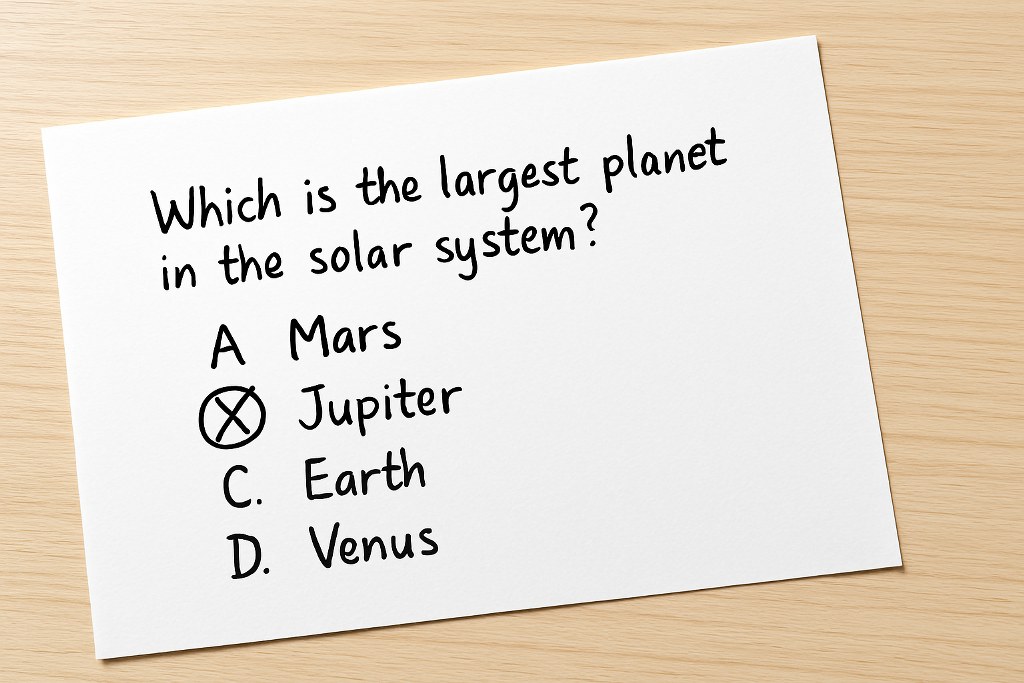
A big issue with quizzes is a lack of completion. To make sure quizzes are completed, provide short, easy-to-read questions and responses. Long, complicated questions confuse participants and increase abandonment rates.

For the best results, aim for a total quiz length of 3 minutes or less. Most people tend to invest more time when the topic is extremely relevant to them.
Use a highlighting system in your draft document to ensure all result types are covered evenly across the questions. This balance prevents skewed results and maintains fairness.

Step 4: Choose Your Platform to Create a Quiz Website
Why WordPress is a Top Choice for Building Websites
A website is an online directory for your services and products. You need the best website builders for your Quiz site, and WordPress provides special features for you.

WordPress is a free and flexible tool that powers over 43% of all websites. It’s famous for its extensive support and customization options. You can use these features without a knowledge of coding.
It offers complete freedom, and with plugin functionality, you can change your site’s design later without breaking your quizzes. This flexibility protects your investment as your business grows.
Selecting Your Domain and Hosting

You will need a domain name and a web hosting account to get started. These are major foundations for any website, costing around $14.99/year and $7.99/month, respectively.

As a beginner, consider the best website builders like Hostinger or IONOS. These builders provide an easy starting point with intuitive interfaces. You can browse freelance sites like Fiverr for more professionals to help you.

Regardless of your platform, a solid foundation is crucial. Choosing the best web hosting makes your site fast and secure. In the event of viral quizzes, a good service to host your website will ensure it runs without lag.
Step 5: Pick the Best Online Quiz Maker
Key Features to Look for in Quiz Software

- Ease of Use: Many platforms have drag-and-drop features to help you create quizzes without writing code. This helps you avoid technical barriers that prevent you from building effective quizzes.
- Templates: Pre-built templates save time and provide expert designs. Interact Quiz Maker offers over 800 quiz templates to jumpstart your creation process.
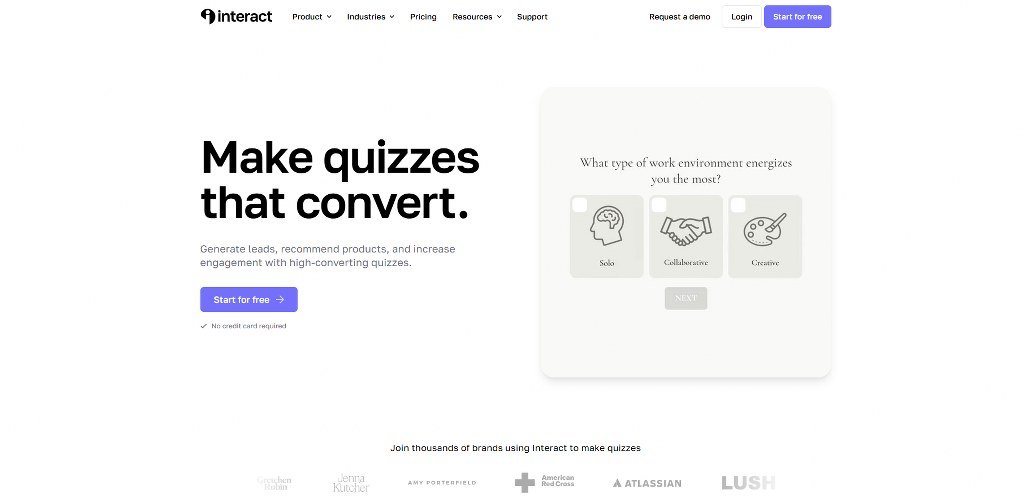
- Integrations: Email capture is the main benefit of quiz marketing. Make sure the software connects with email marketing services to build your list.
- Analytics: Use a platform that offers detailed analytics. Instant feedback can help you track progress and learn more about your audience. Data assessment promotes improvements and refinement over time.


Comparing Top Quiz Plugins and Tools
Plugins add quiz functionality directly to your WordPress site, creating a seamless experience. Here’s how popular options compare:
| Feature / Software | Thrive Quiz Builder | Formidable Forms | Interact Quiz Maker | MemberPress | Microsoft Forms
|
| Primary Use Case | Engaging, complex quizzes | Advanced custom forms, calculators, and auto-scored quizzes | Viral quizzes, lead generation | LMS, online courses, scoring, grades | Educational assessments, surveys |
| Ease of Use | Drag-and-drop builder, no code | Drag-and-drop builder | Drag-and-drop builder, intuitive | Full course solution | Intuitive, Copilot for drafts |
| Quiz Types | Right/wrong, number, percentage, personality, survey | Automatically scored quizzes | Personality, scored, assessment, viral | Quizzes with courses, scoring, and grades | Choice, Text, Rating, Date, Ranking, Likert, File upload, Net Promoter Score® |
| Templates | Pre-made quiz templates | Dozens of form templates | Over 800 pre-built quiz templates | – | Templates available |
| Customization | Personalized results pages, custom certificates/badges | Custom forms from scratch | Design, style, colors, and branching quizzes | Lesson plans, subscription levels | Theme, add pictures, sections, and branching logic |
| Analytics | Detailed analytics | – | Track quiz results, popular results | – | Rich, real-time analytics, export to Excel |
| Email Integration | Yes | Yes, good for email list growth | Yes | – | – |
| Lead Generation | Yes | Yes | Yes, powerful for lead generation | – | – |
Step 6: Integrate, Test, and Launch Your Website
Connect Your Quiz to an Email Marketing Service

Integrate your quiz with an email tool for lead nurturing. People are often willing to provide an email to access their results. You need systems that capture and use this information effectively.
Services like Kit (formerly ConvertKit) automatically add quiz takers to your mailing list. This automation saves time and ensures no leads fall through the cracks.
Divide your subscribers based on their quiz results to send targeted follow-up emails. Each result should carry targeted messaging to improve relevance and conversion.
How to Embed and Test Your Interactive Quizzes

Your website landing page should have your quiz link embedded in it. This can improve user experience and increase conversion. External quiz tools can feel disconnected and break trust.
Test the entire flow many times before launching. Take the quiz yourself to ensure each result type matches correctly. Be sure that follow-up emails are sent as expected. Small issues can affect user experience.
Step 7: Monetize and Market Your Quiz Website
3 Simple Ways to Monetize Your Site

- Product/Service Sales: Use quiz results and follow-up emails to recommend and sell your offers. This direct approach generates the highest profits per visitor.
- Display Ads: Selling ad space is an easy way to earn money. Google AdSense is simple to set up on any device. You can also sell ad space directly once you have traffic.
- Email Sponsorships: Once your email list grows substantially, you can get paid sponsors for your newsletters. Brands pay well to reach engaged, targeted audiences.
How to Promote Your Quiz for Maximum Reach

Now that you’ve built your own quiz, focus on exposure. Share your quiz across your social media platforms. Different networks reach different audiences, so vary your promotion strategy for maximum reach.
Promote it to your existing email list. This target group includes subscribers who haven’t yet purchased related offers. Current subscribers already trust you and are more likely to engage.

Use SEO tools like All in One SEO to increase search rankings and attract organic traffic. However, start with your existing audience before investing heavily in SEO.
To maximize your quiz website’s potential, consider reading our comprehensive guide to monetize your site and learn SEO basics to drive organic traffic.
Conclusion
Quiz websites combine involvement, lead generation, and monetization into one powerful tool. Set clear goals, choose the right platform, and provide real value to your audience. With proper planning and execution, your quiz website can become an asset for your growing business.

Next Steps: What Now?
Follow these steps to build your own quiz website:
- Define your quiz goals, choose a niche topic, and plan your result types before writing questions.
- Build your quiz structure with engaging multiple-choice questions and a clear results page.
- Set up your website using WordPress or other builders, and choose a good hosting service.
- Use quiz software with templates, email integrations, and analytics to streamline creation.
- Test the full quiz flow, launch your site, and monetize through product sales, ads, or sponsorships.
Further Reading & Useful Resources
- Build a website in 7 steps: A complete guide from start to launch.
- Mobile-first website design: Optimize for Android and iOS.
- E-commerce lead generation: Market strategies for lead generation.
- Website without a web builder: Learn how to create a website without a web builder.
- What makes a website good? Discover the qualities of a good site.

