


Building an app is now easier than ever with the best no-code app builders. These platforms let entrepreneurs and small business owners create functional applications.
In this article, we will explore the best no-code app builders. It will help you choose the right one for your needs.
Best Website Builders for Beginners to Launch Online Without Coding
| Provider | User Rating | Recommended For | |
|---|---|---|---|
 | 4.6 | Beginners | Visit Hostinger |
 | 4.4 | Pricing | Visit IONOS |
 | 4.2 | Design | Visit Squarespace |
What Are No-Code App Builders?


These tools use intuitive drag-and-drop parts. They also include pre-built templates and visual logic builders. They do what normally would require coding skills.
The no-code movement has grown very fast in recent years. It began with simple website builders for beginners. However, by now we have advanced platforms that can build complex applications. Today’s no-code landscape includes tools for building various application types:
- Web applications for desktop browsers
- Mobile apps for iOS and Android devices
- Internal tools for business operations
- Workflow automation systems
- Customer portals and dashboards
What makes these platforms revolutionary is their accessibility. Common features include:
- Clear visual design interfaces
- Pre-made templates
- Tools for managing databases
- The ability to integrate with other software
14 Best No-Code App Builders for Beginners in 2026
Here are the best no-code app builders for beginners in 2025. Each offers easy-to-use platforms to create functional apps without coding.
1. Glide

Glide turns Google Sheets into polished mobile apps. It is perhaps the easiest entry point for absolute beginners. The genius of the platform lies in its simplicity. If you can organize data in a spreadsheet, you can build an app with Glide.
Users build their data setup in Google Sheets. Then, they use Glide’s easy interface to shape the app’s look and how it works. The platform handles the tech work. It turns that spreadsheet into a mobile app.
Glide’s strength is its rapid development speed. It offers real-time data synchronization. When you update the spreadsheet, the app shows the changes right away. This makes it perfect when data needs to be updated often.
The platform offers a free plan for personal projects. Paid plans start at $25 per month and include professional features.
Glide is very simple to use. However, this ease of use means there are limits to how much you can change the design. It also does not support complex tasks. It works best for simple, data-based projects rather than highly custom work.
2. Bubble

Bubble is one of the most powerful and flexible web application builders. It works in the no-code space. Unlike simpler platforms, Bubble offers extensive customization capabilities. It can build sophisticated apps that rival those made with traditional coding.
The platform has a visual programming space. It lets users create complex workflows and data structures. Bubble is strong because it handles conditions and user logins. It also works with databases without coding.
Bubble has a big plugin ecosystem that boosts its functionality. It lets you connect with countless third-party services.
Its extensibility makes it a good choice. It works well for building complex apps. You can build a marketplace, a social network, or a SaaS product.
Bubble offers a free plan for learning and development. However, serious applications usually need a paid plan that starts at $29 per month. One main problem with the platform is its steep learning curve. You may need to invest weeks rather than hours to master its features.
3. Adalo

Adalo focuses on creating native mobile applications with a user-friendly platform. The platform balances ease of use with strong features. It is friendly for beginners and still lets you grow.
Adalo lets users create applications for both iOS and Android. They do this using a visual interface. The platform gives a library of pre-built parts. They can be tailored to fit brand needs.
Its real-time preview shows app creators how their app looks. It also shows how the app works on different devices.

Adalo’s pricing starts with a free plan for basic projects. Paid plans begin at $36 per month. They offer more advanced features and remove Adalo branding.
This platform is great for entrepreneurs and small businesses. It lets you create mobile apps without the high cost of native development.
Adalo does very well in front-end design. However, it has some limits in back-end functionality. Complex data operations or third-party integrations may need workarounds. They might also need additional tools.
4. Webflow

Webflow takes a design-first approach to building websites. It gives you unprecedented control over how your site looks. At the same time, it creates clean, production-ready code behind the scenes.
Webflow began as a tool for creating websites. Over time, it grew to support web apps. It now uses a CMS and special interaction features to work well.
The platform’s strength is in its professional design tools. These tools offer pixel-perfect control over layout, typography, and animations.
For designers frustrated by the limitations of other no-code tools, Webflow is a welcome option. It gives you a canvas that never compromises your creative vision.
Webflow gives you a free plan for learning. You can build sites on your own. Their paid site plans start at $14 per month.
5. Softr

Softr values simplicity and speed. It lets users build web applications in minutes instead of hours or days. The platform utilizes Airtable or Google Sheets as its database. It turns that data into beautiful and useful interfaces without adding extra complexity.
With Softr, users select from pre-designed blocks. These blocks manage common functions such as user profiles, directories, and resource booking. These blocks can be customized to follow your brand guidelines. However, the focus stays on fast deployment rather than pixel-perfect details.
Pricing starts with a free plan for basic projects. Paid plans begin at $24 per month. These plans add extra features, such as custom domains, and they remove the Softr branding. The platform works very well for membership sites. It is also great for directories and simple customer portals.

6. Thunkable

Thunkable gives you a platform to build mobile apps. These apps work on both iOS and Android. The block-based interface is easy for beginners. It still has enough features for advanced projects.
The platform’s drag-and-drop interface lets users easily design screens. It sets app behavior using visual blocks instead of code. Thunkable supports useful features such as camera access, location services, and offline data storage. These features make it a good choice for many mobile apps.
Thunkable has a free plan for basic projects. They also offer paid plans starting at $21 per month. These paid plans add extra features and remove the Thunkable branding.
7. SAP (formerly AppGyver)

SAP (formerly AppGyver) is at the advanced end of the no-code spectrum. It offers many features that are similar to those in traditional development platforms. Yet, it still uses a simple no-code interface. The platform lets you build web apps. It has smart logic and clear workflows.
SAP (formerly AppGyver) stands apart because of its powerful logic composer. It lets you run complex conditional operations. It also changes data without writing code. The platform also gives you detailed control over the user interface.
SAP (formerly AppGyver) offers a surprisingly free plan for personal use and small businesses. For larger organizations, enterprise pricing is available. This pricing model is generous. It is a great option for users who need advanced features but have limited budgets.
8. Knack

Knack focuses on data-driven applications. It excels at making tools that manage data, display data, and collect information. The platform is strong for business work. It supports inventory management, customer databases, and operational dashboards.
Knack stands out because it has strong database tools. It creates complex links between different kinds of data. It also offers very detailed controls over who can access each piece of data.
The platform makes it easy to create forms for collecting data. It also lets you build views to display that data. The platform comes with strong filtering and sorting options.
Knack’s pricing starts at $39/month, with no free plan available. This higher starting price shows that the platform focuses on business apps. It is meant for business use rather than personal projects.
The investment pays off because Knack can work with hard data tasks. These tasks would need many developers if done with old methods.
9. Appy Pie

Appy Pie offers a complete suite of no-code tools. These tools let you build apps, create websites, automate tasks, and develop chatbots. Its app builder is all about simplicity. It lets users create mobile applications using a clear, step-by-step process.
The platform supports both Android and iOS apps. It also helps build progressive web apps that work across devices. Appy Pie has many features. It supports push notifications, in-app purchases, and social media integration. These features cover most needs for simple mobile applications.
Pricing starts with a free plan that shows Appy Pie branding. Paid plans begin at $16 per month and remove the branding. They also add extra features. The platform is very popular with small businesses that want to create a mobile presence. It helps them do this without a large investment.
10. FlutterFlow

FlutterFlow is a new generation of no-code tools. It is built on modern development frameworks. In this case, it uses Google’s Flutter. This foundation gives FlutterFlow apps native performance on iOS and Android.
The platform offers a visual interface for designing screens and defining the application’s advanced logic. It also generates clean Flutter code behind the scenes.
This approach has a unique benefit. Users can export their projects as real code. It helps them avoid being stuck on one platform, like many other no-code tools.
FlutterFlow has a free plan for learning and development. It also offers paid plans that start at $30 per month for production applications. The platform works for both beginners and developers. Beginners can use it without coding, while developers can speed up Flutter development.
11. Airtable

Airtable combines the ease of spreadsheets with the strength of databases. It offers a flexible way to organize information and build simple mobile apps. Airtable focuses on data management, but does more than that. Its views, forms, and automation features make it a simple tool for building mobile apps.
The platform is great at handling structured data. It supports different types of information and shows how tables connect. You can also view the same data in different ways.
Airtable’s interface makes databases easy for everyone. Even without tech skills, users can build complex data structures.
Airtable has a solid free plan. Paid plans start at $20 per user each month. They offer more records, longer revision history, and advanced automation. The platform helps with project management tools. People also use it for content planning. It’s great for tracking inventory, too.
12. Appenate
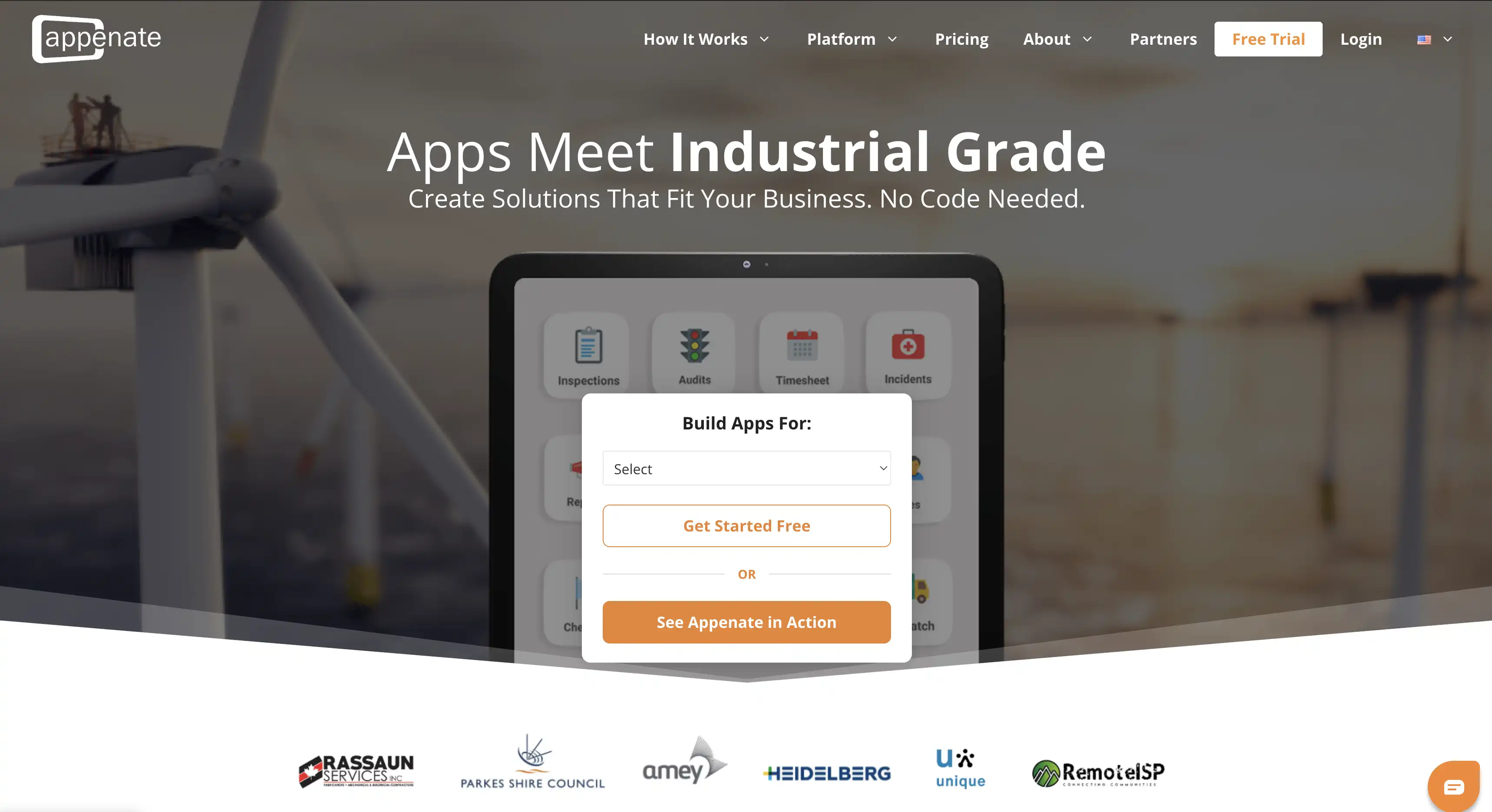
Appenate is a no-code app builder for business teams. It lets anyone create fully native apps for iOS, Android, and Windows. The apps work fully offline and sync when a connection returns. This makes it reliable for teams working in the field.
Its AI Form Generator creates forms from a plain-text or voice description. A white-label option lets companies publish apps under their own brand. You don’t need any coding skills to get started.
Pricing starts at $20 per user each month billed annually. A five-user minimum applies, and a free trial is available.
Common uses include inspections, checklists, work orders, and field data collection.
13. Coda

Coda turns documents into apps. It blends text, tables, and interactive tools on one screen. This method creates living documents that work like lightweight apps. At the same time, it keeps the simple feel of document editing.
Coda’s power is in its flexibility. A single doc can track projects, store customer data, or map out product plans. It works for countless other tasks, too.
Its formula language lets you do complex calculations and automate tasks right in the document. You don’t need to switch to another tool. Coda has a free plan for personal use. Team plans start at $10 per user each month.
The platform is a favorite for team collaboration. It blends documentation with useful tools, keeping information and workflows in one place.
14. Notion

Notion started as a note-taking app but has grown into a flexible workspace. Now, users can shape it into simple apps that fit their needs. Its database features work with a clean, simple interface. Together, they help you build anything from knowledge bases to project trackers.
Notion stands out for its flexibility. It adapts to almost any need for managing information. With pages, databases, and templates, it shapes itself to fit different tasks.
Its editor uses blocks to mix text, tables, media, and embeds. The layout stays flexible, making it easy to arrange content.
Notion has a free plan for personal use. For teams, pricing starts at $8 per user each month. Startups and creative teams are drawn to the platform. It gives them a single workspace and helps cut down on too many tools.

Benefits of Using No-Code App Builders

Apart from simplifying development, there are other benefits of using the best no-code app builders. Some of these benefits include:
Speed and Efficiency

No-code platforms speed up development. The biggest advantage is how much time they save. Developers can build apps faster without writing complex code.
Building an app the old way can take months or even years. No-code tools make it much faster. With them, users can create working apps in just days or weeks.
Some platforms claim to develop software 20 times faster than regular coding. This efficiency comes from skipping the need to write and fix code. It uses ready-made parts and offers templates to get started quickly.
Cost-Effectiveness

The financial advantages of no-code development are substantial. Building an app usually means hiring skilled app developers. Their rates range from $50 to over $150 an hour. In the end, the project can cost tens or even hundreds of thousands of dollars.
No-code platforms usually charge a monthly fee. The price depends on the platform and features you need. It can start at $25 and go up to a few hundred dollars. This predictable pricing model makes budgeting easier and reduces upfront investment.
Accessibility

No-code tools have changed app development. Now, people without technical skills can build apps. This shift lets people solve problems on their own. Teachers, healthcare workers, and business analysts can build solutions without a developer’s help.
This clear link between problem and solution makes applications more intuitive. They fit user needs better. It lets experts bring their app ideas to life without technical limits or communication gaps.
Scalability
No-code platforms now have strong scalability features. This lets apps expand as businesses grow. Early no-code tools struggled to support more users and larger data loads. But modern platforms have fixed this with strong, enterprise-level systems.
No-code platforms now handle complex workflows and large user bases. Apps built on them can support thousands of users with ease.
Many no-code apps offer API access and integration capabilities. This lets them connect with other systems. It expands their functions beyond what the platform alone can do.
How to Choose the Right No-Code App Builder

Picking the right no-code app builder is key. It ensures your app fits your needs, grows well, and stays easy to manage.

Assess Your Needs
Start by deciding exactly what you want to build before choosing a no-code platform. Different platforms excel at different types of applications. Find answers to questions like:
- Are you building a web application, mobile app, or both?
- Will your app need to handle complex data relationships?
- Do you require offline functionality?
- What integrations with other tools will you need?
- How many users will your application serve?
Consider Your Technical Comfort Level

No-code platforms vary significantly in their learning curves. Some are simple and take just hours to learn. Others have more power but need weeks to master. Consider your comfort with technology and the time you’ll spend learning. This will help you choose a platform that fits your skills.
Evaluate Platform Limitations
Every no-code platform has constraints. Knowing a platform’s limits before you commit can save you from frustration later.:
- Customization: How much say do you have in how it looks and works?
- Scalability: Can the platform handle growth in users and data?
- Data handling: Are there limits on records or storage?
- Integration: Can it connect with other tools you use?
Budget Considerations

Pricing models vary widely across no-code platforms. Some give free plans with basic features. Others need a paid subscription right away. When evaluating costs, consider:
- Free vs. paid plans and their limitations
- Per-user pricing vs. flat subscription fees
- There are extra fees for special features. This includes white-labeling and premium integrations
- Transaction fees for e-commerce or payment processing
Getting Started with No-Code Development
To build apps without coding, you need the right tools. No-code mobile app builders help you bring your ideas to life. Knowing the best ones makes starting easier.


Understanding the Basics

Before diving into any platform, it helps to understand some common no-code concepts:
- Database: Where your application stores information
- Frontend: What users see and interact with
- Workflow: The sequence of actions that happen when users do something
- Integration: How your app connects with other services
Best Practices for No-Code Development

No-code development process works like traditional software development. Both follow the same basic principles:
- Start with templates when available to avoid reinventing the wheel.
- Focus on intuitive user experience — navigation and clear instructions.
- Test frequently with real users to identify issues early.
- Document your app’s structure and logic for future reference.
Common Pitfalls to Avoid

Even with no-code’s simplicity, certain challenges commonly arise:
- Overcomplicating your first project instead of starting simple
- Ignoring platform limitations until they become problematic
- Not planning for future growth and scalability
- Overlooking security considerations, especially for sensitive data
Setting Up Your Own Website or Web Store

No-code platforms can help you create a website or e-commerce store easily. They have tools designed to build and manage your site without coding skills. Webflow is great for building professional websites. Shopify, on the other hand, helps create online stores easily, without needing to code.

When building a website or online store, think beyond just the platform:
- Hosting reliability and performance
- SEO capabilities and limitations
- Payment processing options
- Inventory management features
- Marketing tool integrations
Choosing the best web hosting platform can help you implement these features.
Conclusion
No-code app builders have changed the way software is made. Now, anyone with an idea can create custom apps, even if they don’t know how to code. Today’s no-code platforms offer tools for all kinds of tasks. From simple data tools to complex web and mobile apps, they provide solutions for every skill level and need.
Need a safeguard for your content? Check out this full guide on how to back up your website.

Next Steps: What Now?
Ready to create apps with a no-code app builder? Start by:
- Assessing your needs.
- Exploring different no-code platforms.
- Start small.
- Test & improve.
- Launch into the Google Play Store or Apple App Store & scale.
Further Reading & Useful Resources
Boost your website and AI knowledge with these resources:
- Create a Website: Check out our beginner’s guide for creating a website.
- Create an Online Store: Find out how you can build an online store from scratch.
- Build a Website Without a Builder: Learn to create a site from scratch.
- Turn a Website into an App: Convert your site into a mobile or web app.
- AI Chatbots Explained: Discover how chatbots enhance user engagement.

