


Squarespace’s Design Intelligence is changing the way we approach website development. It merges powerful AI with over 20 years of design expertise, rooted in the broader concept of design intelligence, to help you build your dream website.
This guide breaks down how these tools work. We’ll first explain design intelligence, then cover the AI-powered Blueprint builder along with content and style generators.
Exploring AI and design intelligence is exciting, but presenting your insights effectively requires a professional website. Website builders help you design responsive, visually appealing sites that showcase content seamlessly. Explore our recommended website builders to launch a website that supports your AI and design projects.
Create an AI-Ready Website with the Best Website Builders
| Provider | User Rating | Recommended For | |
|---|---|---|---|
 | 4.6 | Beginners | Visit Hostinger |
 | 4.4 | Pricing | Visit IONOS |
 | 4.2 | Design | Visit Squarespace |
What is Design Intelligence (DI)
Design intelligence (DI) is the intentional design of systems that scale with clarity, adaptability, and resilience. It optimizes for outcome rather than output. This means focusing on value delivery, better experience, and business impact instead of increasing tasks, tickets, or pages.
DI is not a department or a tool; it’s a mindset that aligns people, processes, and technology into intelligent workflows that learn and improve over time.
Design intelligence embeds collaboration into workflows, turns training into transformation, and builds systems that evolve with behavior. As a result, everything works well without micromanagement. With widespread AI-integration and rising compliance demands, DI matters now more than ever.
Design intelligence acts as an adaptability engine, creating learning loops and feedback paths that keep teams aligned as conditions change.
How DI Works
- Map the value stream: outcomes, users, decision points, and failure modes.
- Instrument the system: metrics, alerts, and qualitative feedback where work happens.
- Design default paths: opinionated templates, checklists, and guardrails to reduce cognitive load.
- Close the loop: retrospectives, A/B tests, and small experiments feed system improvements.
- Govern lightly: clear roles, standards, and escalation rules without bureaucracy.
- Automate thoughtfully: use AI and integrations where they clarify or accelerate, not obscure.
In practice, that’s the difference between duct tape and architecture—and it’s the lens we’ll use as we evaluate Squarespace’s Design Intelligence below.
Understanding Design Intelligence In Squarespace

Squarespace’s Design Intelligence puts the mindset above into practice for websites. It’s a curated suite that blends generative AI with human design expertise to deliver clear, on-brand results without the guesswork.
Instead of raw AI outputs, Squarespace applies 20+ years of award-winning design standards to filter layouts, copy, imagery, colors, and fonts. The result is a creative partner that accelerates decisions while keeping professional quality intact.
In minutes, you can draft a site with tailored structure, copy, and visuals—then refine with one-click options. It’s design intelligence applied to the web: systems that guide you toward better outcomes, not just more options.
The Power of Design Intelligence: An Example of Blueprint AI

Blueprint AI works as Squarespace’s main AI builder. It creates custom website drafts tailored to your brand identity. The magic happens in minutes through a simple conversation between you and the AI.
The process starts with questions about your website’s category, goals, and brand personality.
These questions help the AI understand your vision without requiring technical knowledge. You might specify whether you’re building a portfolio, business site, or online store.

Blueprint AI then instantly generates a complete, customized site that includes several elements:
- Page Layout: It suggests layouts that make sense for your specific needs. For example, a restaurant might get reservation and menu pages. And a consultant or freelancer gets portfolio and testimonials sections.
- Text Copy: The AI generates text copy throughout your site. This includes headlines, descriptions, and full paragraphs that suit your industry and identity.
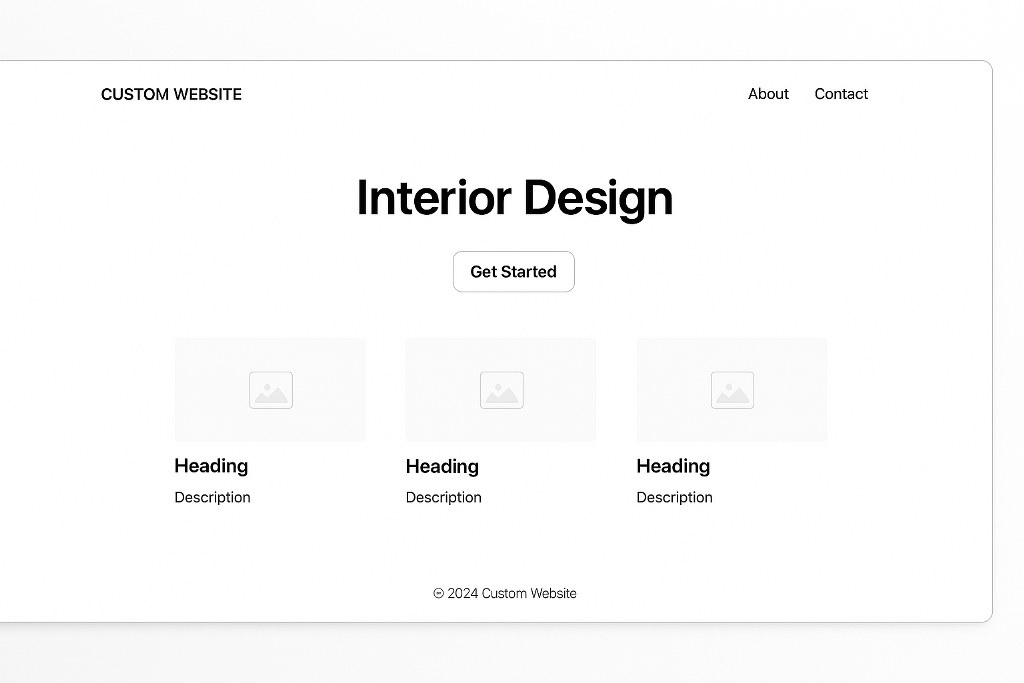
- Images and Graphics: Blueprint AI provides a selection of AI-generated art and images. These images are curated to fit your content perfectly.
- Brand Identity: Blueprint AI recommends color palettes and fonts. As an element of branding, these selections align with your brand personality. They are carefully picked colors based on design principles and current trends.

While Blueprint AI is free to use for drafting your site, you need a paid Squarespace plan to publish it. This lets you explore and refine your design before committing to a subscription.

Namecheap
AI-Powered Tools to Shape Your Brand Identity and Content
The AI Writer tool helps you draft compelling copy. You can generate anything from website headlines to email campaigns. Once you create your content, you can send campaigns with dedicated services. These distribution services should integrate with most platforms to reach more people.
The platform consistently matches your defined brand identity across all published content. AI generates content that feels naturally yours. It does this by learning your business type, industry, brand personality, and voice. This prevents the generic and robotic tone that affects many AI-generated texts.

AI works best when you treat it as a starting point rather than a finish line. Always edit the generated copy to add your personal touch and ensure factual accuracy. This collaboration between human creativity and AI efficiency gives you the best results.
The beauty of content creation with AI lies in getting over blank page syndrome. When you’re stuck on a product description or blog post introduction, AI can give you a mind map to build upon.
Streamlining Your Look: AI Design and Visuals

Site themes and style suggestions are where Squarespace’s Design Intelligence truly shines. The AI recommends expertly curated colors, fonts, and styles that suit your brand personality. You can explore thousands of templates without getting overwhelmed by choice paralysis.
The Layout Switcher feature analyzes content in any section of your page. Afterwards, it suggests professional layouts with a single click. You always end up with polished content, whether displaying art projects or listing business services.
Squarespace also uses Curated AI imagery to generate stock photos. You can access a library of images created, reviewed, and curated specifically for stunning website backgrounds. These images feel fresh and purposeful rather than overused.

This human curation process ensures that every visual element meets professional standards. You won’t accidentally choose something that clashes with your brand or looks amateurish.
Beyond the Build: Using AI for Business and Marketing
Design Intelligence reaches beyond the initial website build. It offers AI assistance for ongoing marketing and business tasks. This support will continue as your needs expand and adapt over time.
AI can be used to generate high-quality copy for various business needs, like:
- Product Descriptions: Use AI to generate compelling product descriptions. With a few keywords, you can sell your services.
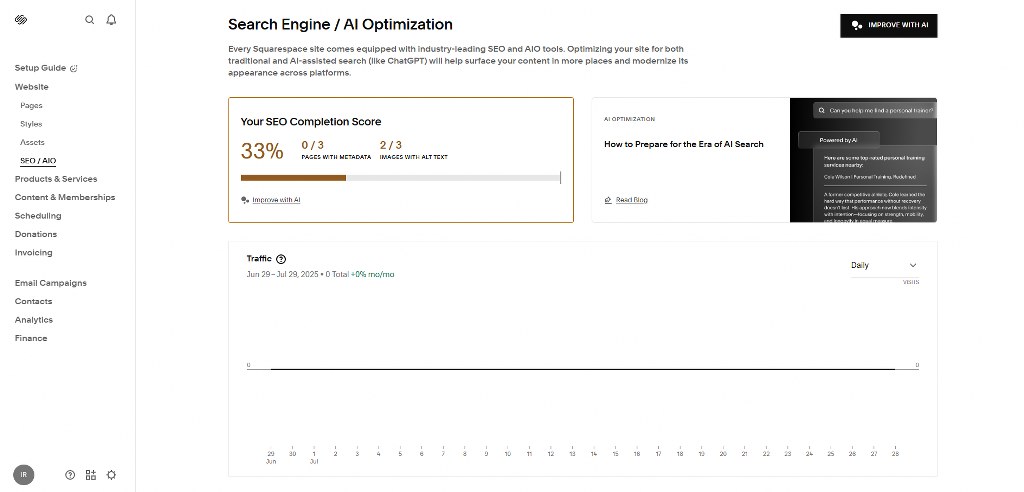
- SEO Site Descriptions: You can draft concise, keyword-optimized meta descriptions with AI. These improve your SEO basics and search rankings.

- Blog Posts: Quickly overcome writer’s block by drafting and editing posts. Your blog posts help you establish expertise and authority in your field.
- Video Descriptions: Summarize your content with engaging descriptions that attract viewers.
These features are valuable for small business owners who wear multiple hats. Instead of spending hours crafting marketing copy, generate professional content in good time. You can then refine it to fit your voice perfectly.

The “Creative Partner” Philosophy: AI as Your Co-Pilot
Squarespace positions its AI as a “co-pilot,” not an “autopilot.” The goal? It aims to support your creative process without replacing your vision or personality. This distinction matters more than you might think.
The platform’s secret sauce lies in human curation. The design team actively prompts, filters, and selects AI outputs. This ensures tasteful, high-quality results.

You don’t need to look through generic options that don’t meet professional standards. The design process thus becomes faster, not obsolete.
When you want to build your AI foundation, you can work with built-in tools or collaborate with freelancers on platforms, like Fiverr, to add custom touches. The “creative partner” philosophy shows that technology amplifies human creativity without replacing it.

Your unique ideas and AI’s contribution will create professional and genuine projects. Whether you’re a student or a professional, you can gain a lot from this balanced approach.
AI is the future, and only those who learn to integrate AI can seize it. By mastering these tools, you can rise above competitors who haven’t embraced AI’s approach to design and content creation.

Best Hosting Options for Your Website

A website is important for anyone looking to reach clients online. While website building can be technical, tools simplify the process. Platforms like Squarespace allow beginners and experts to get started.
Squarespace offers a smooth AI experience. But solid hosting is the foundation of any great website. Before you publish, make sure you explore your options. For most beginners, using the best web hosting service is the most reliable way to get online.
Even without coding experience, you can build websites with the best web builders, like Hostinger and IONOS. These platforms provide comprehensive and easy-to-use features.

Conclusion
Squarespace Design Intelligence improves website creation with powerful AI and expert human curation. Blueprint AI offers site generation and ongoing marketing support. These features make professional web design accessible to everyone.
The “creative partner” element lets you control and access AI efficiency and expert design principles. With the world rapidly embracing AI, consider more profitable ventures that incorporate AI functions and services.
Explore our article that discusses the basics of artificial intelligence to help you prepare for AI integration in your business.

Next Steps: What Now?
Optimize your website with AI features by following these steps:
- Use the right AI tools to build a quick draft of your website.
- Explore suggested themes, styles, and fonts for your brand identity.
- Generate quick and SEO-friendly text copy with AI tools.
- Explore a good hosting service for your website.
- Make your content uniform across several platforms.
- Work with AI to edit and refine your content according to your vision.
Further Reading & Useful Resources
- Creating a website: learn how to build a website in 5 minutes.
- Making money with AI: A guide to AI profitability.
- How to write with AI: Creating compelling text copy with AI tools
- Generate image with AI: Explore the best AI image generators online.
- Best AI web builders: Find other AI-powered website builders for your project.


