


SEO plugins play an important role in making your business visible to a wider audience. The best WordPress SEO plugins improve rankings and increase traffic. But how do you identify them?.
This guide explores the world of website creation to identify the best WordPress plugins. We’ll assist you in choosing the perfect tool to spark interest in your site.
Choosing the right website builder is just as important as the SEO plugins you install, since your platform sets the foundation for site speed, structure, and search visibility. This table highlights builders that make it easy to create WordPress-friendly, SEO-ready websites without technical hurdles. Explore our recommended options to build a site that supports the full power of your SEO tools.
Top Website Builders for Creating SEO-Optimized WordPress Sites
| Provider | User Rating | Recommended For | |
|---|---|---|---|
 | 4.6 | Beginners | Visit Hostinger |
 | 4.4 | Pricing | Visit IONOS |
 | 4.2 | Design | Visit Squarespace |
Why Your WordPress Website Needs a Top-Tier SEO Plugin
An SEO plugin makes it easier to be at the top of search rankings. This tool handles complex optimization tasks from on-page SEO to technical audits. This ensures your WordPress site works for search engines.
Some reasons for using plugins include:
- Visibility: The first five results get most of all the clicks in any search query. A good plugin can help your content become one of the top five.
- Better user experience: Search engines look at page load time to rank sites. This means a faster site performs better in search results. Plugins improve site speed for increased user satisfaction and search engine rankings.
- Traffic and conversions: Strategic SEO increases organic traffic. Plugins help search engines understand the structure of your content.

Setting Up Your Website: The First Step to SEO Success
The first step before optimization is creating a professional website. This would provide the platform to perform all your activities.
Luckily, user-friendly builders like Hostinger and IONOS make the process easier for beginners. These website builders offer simple drag-and-drop tools. They also have built-in features to help you get online fast.

Web developers who want more control and expansion opportunities can use WordPress. This option provides several customization options to design a top-tier site.
You must also ensure your site loads fast. Users should always be able to access it. These qualities are crucial for your SEO strategy. Choosing the best web hosting provider will help you achieve this part.
1. All in One SEO (AIOSEO): The Best WordPress SEO Plugin Overall
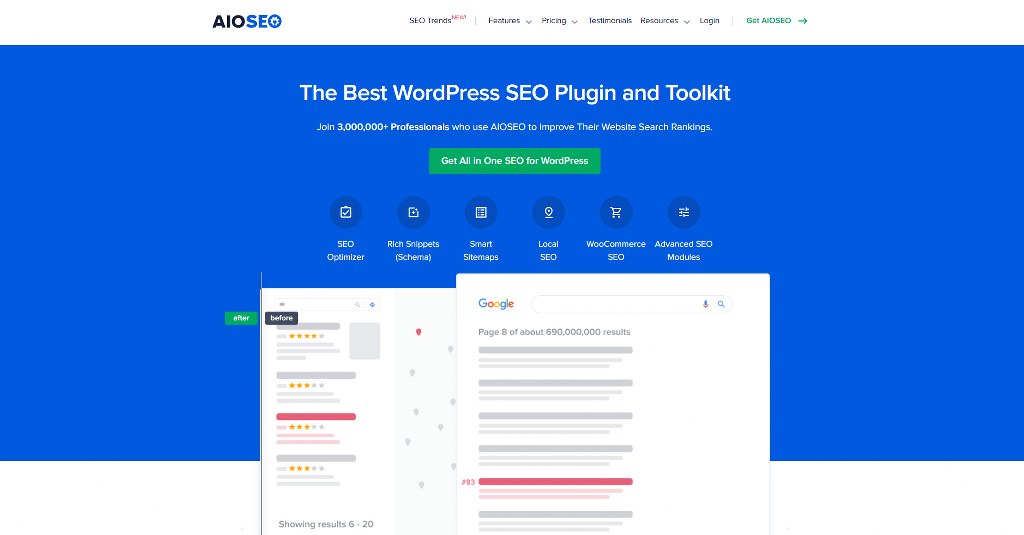
AIOSEO is the original and most comprehensive WordPress SEO plugin. It offers complete features that make it unnecessary to try other SEO plugins.
With this comprehensive SEO plugin, you can improve your site’s rankings within 10 minutes.
- Key features: Shows you what you need to improve by performing a TruSEO on-page analysis. There is also a next-gen Schema generator and Redirection Manager. In addition, you can access a Link Assistant for automatic internal link suggestions.
- Unique tools: Features a Keyword Rank Tracker and SEO Revisions. These tools track changes and their effect within your WordPress dashboard.
- E-commerce ready: Offers special Woocommerce SEO tools. These tools work for product pages, image SEO, and dynamic improvements. This feature can make a product more visible.
- Pricing: There is a free Lite version available. Pro plans start at $49.50 annually. It offers a 14-day money-back guarantee.

2. Yoast SEO: A Popular SEO Plugin for Content Creators
Yoast SEO is a popular WordPress plugin. This tool analyzes content and checks for readability. The result helps create content that readers can scan.
- Core functionality: Provides an SEO Meta Box on every page and post editor for titles and descriptions. It also provides automatic XML sitemaps and Schema integration.
- Content focus: Allows you to see how your content will appear in search results. This is possible with real-time content analysis and a SERP preview.
- The readability feature checks for passive voice, the structure of paragraphs, and the length of sentences. In addition, Yoast has a feature for setting canonical URLs. This prevents damaging your rankings by creating different versions of the same content.
- Pricing: A limited free version and a premium single-site service that begins at $99 yearly.
3. Rank Math: The Versatile WordPress SEO Contender
Rank Math is one of the most popular WordPress SEO plugins. This easy-to-use tool offers many advanced features in its free version.

- Key features: Syncs with Google Search Console. It provides keyword rank tracking and a user-friendly setup wizard. The setup wizard works to make the plugin suit your needs. It also provides 404 monitoring to track every broken link on your site. Then, it allows you to redirect them to relevant pages. This way, you keep your SEO quality and improve user experience.
- Advanced tools: Rich snippets and internal linking recommendations. It also has a built-in Latent Semantic Indexing (LSI) keyword tool. These keywords assist you in developing suitable content for the situation.
- Pricing: Free and premium plans, starting at $59 per year.
4. SEMrush SEO Writing Assistant: For Data-Driven Content
SEMrush is an efficient SEO tool embedded in your WordPress editor. Its large database can help you write top-ranking content.
- Real-time feedback: Offers features to recommend content. Grades your content readability, plagiarism, and SEO as you write. It also provides ideas to improve the content before publishing.
- Competitor-based: Shows you the top ten ranking sites for your target keyword. These sites have content containing your target keyword. This way, you can use SEO templates that are effective in your niche.
- The plagiarism detector examines billions of web pages to get plagiarism-free content. Its unique voice analyzer also makes sure all your content is in the same tone. This enables you to build trust with your audience.
- Pricing: A limited free plugin version. You need to create a Semrush account, starting at $129.95 per month.
5. Ahrefs: Powerful Backlink & Competitor Analysis on WordPress
The Ahrefs SEO plugin integrates backlink index and site audit tools into your WordPress dashboard. This makes it easier to analyze your competitors.

- Key features: Provides backlink and content gap analysis. The backlink checker shows who is linking to your site and your competitors. It also has a tool to track keywords and a site audit tool to locate technical problems.
- Competitor insights: You can see the best content created by competitors. This analysis will help you know where to do better.
- Pricing: Free to use, but you will need an Ahrefs account for everything it has to offer. Plans start at $129 monthly.
6. Google Search Console: Essential Insights for All Search Engines
Google Search Console is not part of the SEO plugins for WordPress. But, it is a crucial free tool for monitoring your site’s SEO performance in search results.
All you have to do is install a plugin like AIOSEO. Then, connect it to your WordPress website.
- From Google itself: It provides the actual data about keyword rankings, impressions, click-through rates, and average rank.
- Site health: Email notifications to alert you of problems that can hurt your rankings. You also get a report that shows which queries bring visitors to your site. This information is essential for performing keyword research and planning your content.
- You can also submit sitemaps through Search Console. This submission helps Google find and index your content faster.
- Pricing: Completely free.
7. MonsterInsights: The Best Google Analytics Plugin

MonsterInsights easily connects your WordPress site to Google Analytics. It puts your most important data on your WordPress dashboard.
- Key features: Provides real-time stats and universal tracking on all devices. Also offers improved tracking for e-commerce stores.
- Actionable reports: Shows you how people find and use your website. This enables you to make informed decisions. It presents complex data in reports that users without technical knowledge can understand.
- The e-commerce tracking shows you the best-performing products. You’ll also see where customers leave in the checkout process. In addition, MonsterInsights tracks how many files users download. It also monitors the number of clicks on outbound links and form submissions. These insights help you understand your website users’ actions.
- Pricing: A free Lite version and Pro plans starting at $99.50 per year.

Namecheap
8. WP Rocket: Boost SEO with a Faster WordPress Website

WP Rocket is the best WordPress caching plugin to improve your website’s speed. It applies 80% best practices to optimize performance with minimal settings.
- Core functions: Provides page caching, GZIP compression, and code minifying. These approaches help to reduce load times by half or more.
- Advanced features: Offers lazy loading for images to load only when users scroll to them. This feature helps to save bandwidth. It also offers cache pre-loading.
Also, WP Rocket easily works with Content Delivery Networks (CDNs). Plus, it works immediately after activation without complex configuration.
In addition, the plugin cleans up information that takes up space in your database. Above all, it is a good option to optimize WordPress for speed.
Pricing: Premium plugin with plans starting at $59 per year.
9. Schema Pro: For Rich Snippets in Search Results

Schema Pro makes it easy to add schema markup to make your site stand out in search results. It displays your prices, star ratings, and images in the SERPs. This helps to boost your click-through rate.

- Easy implementation: It allows you to choose from over 20 types of schema. Then, you can apply them all over your site without writing any code.
- Key features: Allows you to see how your snippets will appear with Live schema testing. It easily integrates with other SEO plugins. The plugin supports all major types of schema for any website.
- Pricing: Starts at $79 yearly. You can also pay a $249 one-time lifetime fee.
10. SEOPress: A Simple and Powerful SEO Plugin

SEOPress is a powerful WordPress SEO plugin. Beginners and experts can use this plugin due to its simple interface and features.
- All-in-one: Provides titles and descriptions management, and content analysis. It creates XML and image sitemaps and controls social media previews.
- Advanced features: Offers redirection management and 404 monitoring. It provides breadcrumbs control to make navigation easier. This feature also helps search engines to understand your site structure.
- SEOPress provides tools to integrate with Google Local Business. Its social media management tools let you adjust your content for social platforms. This plugin also has Google Analytics integration.
- Pricing: A free plan and affordable premium plans starting at $49 per year.
11. Broken Link Checker: A Must-Have for Site Health

Broken link checker checks your website for broken internal and external links. Broken links show search engines that you aren’t managing your site well.
Developed by AIOSEO, this plugin tracks links in posts, comments, and custom fields. It also ensures redirects point in the right direction.
- Automated scanning: Automatically scans your content. It then alerts you to broken links and missing images through your dashboard and email.
- Easy fixes: It allows you to edit or unlink broken URLs from the plugin’s dashboard. This removes the need to waste time manually editing each post.
- Pricing: Free with limited features. Paid plans with more features start at $4.99.
12. Redirection: Smartly Manage Your URLs

Redirection is the most popular WordPress redirect manager. Your page may lose its SEO value when you delete or change its URL.
But this tool allows you to move your SEO authority to your new page. Its simple interface makes it easier for users without technical knowledge to use.
- Key features: Allows you to create redirects and track 404 errors. You can easily maintain a clean site structure.
- User-friendly: Helps you avoid broken links. It directs users and search engines to the right page.
- The plugin records all redirects and 404 errors. This log helps you to identify patterns and fix issues that keep coming up. You can also mass import and export redirects.
- Pricing: Completely free.
13. W3 Total Cache: A Complete Performance Optimization Plugin

W3 Total Cache is a popular plugin to make your server work better. This is one of the best WordPress SEO plugins to increase your site’s speed. It reduces load times with features like caching and CDN integration.
- Key features: Offers page caching, browser caching, and code minifying. These features can help save up to 80% bandwidth.
- Database and object caching further make dynamic sites perform better. These features allow your server to handle more than one visitor at once.
- CDN integration: Works easily with CDN services to share your content faster around the world. CDNs reduce inactivity by saving copies of your site on servers worldwide.
- Pricing: A free Lite version and a Pro license for $99 annually.
14. WPBeginner Keyword Generator: Free Keyword Ideas

WPBeginner keyword generator is a free tool for aiding your content strategy. This tool suggests hundreds of new keyword ideas from a single seed.
- Comprehensive ideas: Generates over 300 keyword suggestions. It groups these ideas into sections to help you find variations and long-tail keywords. The question-based keywords show what your audience is asking. This way, you can create content that answers these questions or guides users.
- Easy to use: You only need to enter a keyword. This will give you a list of related terms. Then, you can download them as a CSV file. This download option makes it easy to share ideas with your team.
- Pricing: Completely free.
15. Squirrly SEO: AI-Powered Auditing and Optimization

Squirrly SEO is a plugin that uses AI to work as an SEO consultant. This plugin provides custom recommendations and complete website audits. These activities help you rank higher on search engines.
- Guided SEO: It shows you specific keyword ranks based on competition. The AI also checks your content while you’re writing.
- All-in-one: Includes keyword research tools in the dashboard. It tracks the positions of your keywords over time.
- The SEO audit feature scans all the content on your site. It provides a list of things you need to improve based on order of importance. Squirrly also has a focus page feature. This feature enables you to improve your most important pages before others.
- Pricing: A free version and paid plans starting at $20.99 per month.
16. LowFruits: Find Easy-to-Rank Keywords

LowFruits stands out from other keyword research tools. This tool specializes in finding keywords with minimal competition that you can easily rank for.
- SERP analysis: Analyzes SERPs with a proprietary algorithm. This analysis enables it to identify keywords with poorly optimized top results.
- Competitor research: Checks top-ranking keywords from competitors. It achieves this using a Domain Explorer and Keyword Extractor.
- The tool specializes in looking for keywords where forums or weak content rank. These provide openings for quality content to rank high quickly.
- Pricing: Offers a pay-as-you-go model, starting at $25 for 2,000 credits. Yearly subscriptions cost $249. This credit-based system allows you to pay for only the features you use.

17. KeywordTool.io: A Freemium Keyword Suggestion Tool

KeywordTool is one of the best free keyword research tools. This tool creates a list of long-tail ideas of keywords as suggested by Google in the autosuggest feature.
- Massive idea generation: You can view hundreds of credible sources of ideas within a short period of time. This way, you would be able to identify keywords your competitors might miss.
- Long-tail focus: Excellent for revealing the questions and phrases in your audience’s search queries.
- The tool extracts Google’s autocomplete suggestions to get keywords based on real searches. You can filter results to find keywords that match specific types of content.
- Pricing: A free version that provides keyword suggestions. The paid plan, starting at $69 per month, provides search volume and other data.

Comparison of the Best WordPress SEO Plugins & Tools
The table below compares the best SEO plugins and tools based on their features and prices:
| SEO Plugin/Tool | Price (Annual/Monthly) | Free Version? | Best Feature(s) | Type (Plugin/Tool) |
| AIOSEO | $49.50+ / year | Yes | TruSEO on-page analysis, Link Assistant, Search Statistics | Plugin |
| Yoast SEO | $99 / year | Yes | Content and readability analysis, SERP preview | Plugin |
| Rank Math | $59+ / year | Yes | Integrated Google Search Console, 404 monitoring | Plugin |
| SEMrush | $129.95+ / month | Limited | Real-time content recommendations, competitor analysis | Tool + Plugin |
| Ahrefs | $129+ / month | Limited | Backlink analysis, Content Gap analysis, Site Audit | Tool + Plugin |
| Google Search Console | Free | Yes | Keyword ranking data, crawl error alerts | Tool |
| MonsterInsights | $99.50+ / year | Yes | Google Analytics dashboard in WordPress, real-time stats | Plugin |
| WP Rocket | $59+ / year | No | Page caching, GZIP compression, site speed optimization | Plugin |
| Schema Pro | $79 / year | No | Easy schema markup implementation, live schema testing | Plugin |
How to Choose the Right WordPress SEO Plugin for Your Needs
You must look at the following factors to choose the best SEO WordPress plugins:
- Your skill level: Beginners should choose tools they can easily use. Focus on those with setup wizards like AIOSEO and Rank Math. SEMrush or Ahrefs’ refined control may be more suitable for advanced users.
- Budget: Several free SEO tools provide powerful features at no cost. You can also choose Premium SEO plugins for advanced features.
- Site type: Plugins with WooCommerce features are perfect for e-commerce sites. Local businesses should focus on tools with strong local SEO features. Similarly, sites with much content need powerful content analysis features.
- Existing tools: Select a plugin that is compatible with the tools you are already using.
- Specific features: Choose a plugin that has all the features you need.
Above all, don’t install too many SEO plugins at once to prevent technical problems. Build your foundation with one complete WordPress SEO plugin. You can then add specialized tools as needed.
Installing and Configuring Your SEO Plugin

First, learn how to install a WordPress plugin as a beginner. After installation, take advantage of the setup wizard from your plugin. This feature will ask questions about your site. Then, it will configure settings based on your answers.
- Import existing data: Look for import features before switching from another existing WordPress SEO plugin. AIOSEO and Rank Math can import SEO data and protect your existing project.
- Connect external tools: Connect your plugin to Google Search Console and Google Analytics. This integration enables you to see valuable SEO data in your dashboard.
- Configure XML sitemaps: Most plugins create automatic sitemaps. But you should verify that your plugin generates and submits them to search engines.
- Set up redirects: Set up redirects immediately before moving from another platform or rearranging your site. This prevents broken links and maintains your SEO authority.
Essential SEO Strategies Beyond Plugins
While the best WordPress SEO plugins are amazing, they can’t do everything. You’ll need the following strategies for more impact.
- Creating quality content: Focus on writing content you developed. This content should also be valuable to your audience.
- Strategic keyword usage: Use your plugin’s research features to identify opportunities to use high-ranking keywords. Target high-volume competitive terms and easier long-tail keywords.
- Link building: Seek excellent backlinks in reputable niche-related sites. Develop a powerful link-building strategy to achieve this.
- Mobile optimization: Google mainly ranks sites with responsive mobile versions high. Ensure your website also works on mobile devices to rank high.
- Regular updates: Continue adding new information to update old content. Improve optimization for such posts.
- User experience: Focus on creating a site that loads fast. Provide clear navigation and publish valuable content to keep visitors engaged.
- Technical SEO: Always address technical problems fast. Fix crawl errors, broken links, and other issues with your plugin using audit features.
Reading SEO Metrics and Tracking Progress

You can’t use SEO plugins without knowing what you need to improve. Focus on the following key metrics:
- Organic traffic: This is the traffic (visitors) coming from search engines. Use your analytics to keep an eye on this metric with your analytics. A higher organic traffic indicates positive SEO results.
- Keyword rankings: Track how well your target keywords are doing. See where they appear in search results to get information.
- Click-Through Rate (CTR): This shows how many people clicked your page. This covers those who selected it from search results. Create engaging titles and meta descriptions to improve CTR.
- Bounce rate: This is the number of people leaving your site after the first visit. These visitors view only one page and leave. High bounce rates may mean your site is slow. It may also mean your content isn’t what people expect.
- Page load time: Measure how fast your page loads. Improve its speed and aim for less than three seconds.
- Backlink profile: Track the quantity of sites linking to you and their worth. Target authoritative and relevant sites.
- Conversion rate: Track how well your organic traffic completes actions. This could be sales, sign-ups, or submission of contact forms.
Common SEO Mistakes to Avoid
Some mistakes can damage your efforts. Here are the common ones to avoid:
- Keyword stuffing: Readers may find it hard to read content with too many keywords. This can even lead to penalties.
- Ignoring mobile users: A site that doesn’t work on mobile devices won’t go far. Ensure your content shows on all devices.
- Failure to handle technical SEO: Conduct frequent audits to identify broken links and slow load times early.
- Duplicate content: Search engines find webpages containing the same content confusing. Indicate the version you prefer with canonical tags.
- Poor internal linking: Many sites don’t pay attention to their internal link structure. Build a strong network of internal links with your plugin’s link assistant features.
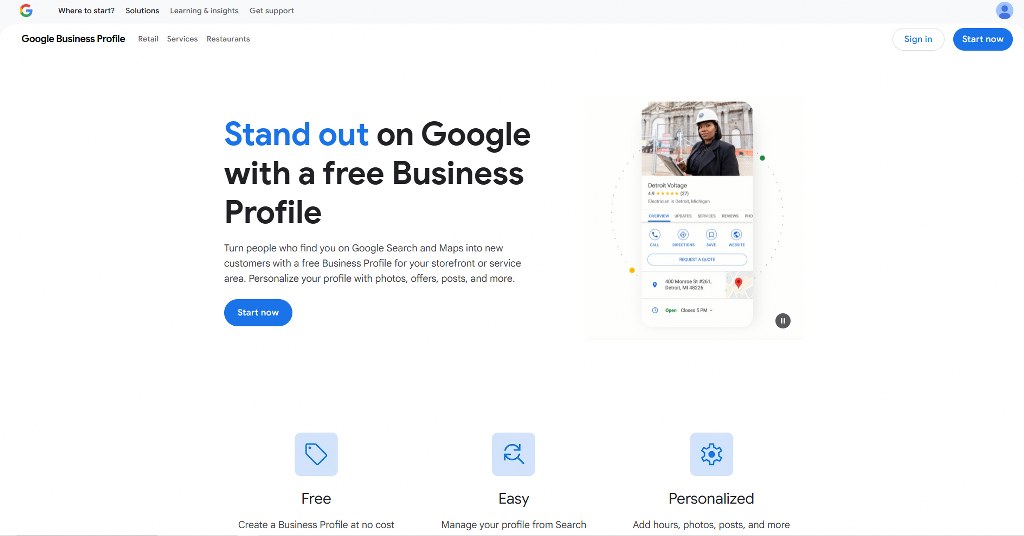
- Forgetting about local SEO: Optimize for local search to target local markets. Claim your Google Business Profile and collect feedback. Also, use keywords that work for the specific location.
- Impatience: Stick to one proven SEO strategy and wait for results.
- Ignoring analytics: Install Google Analytics integration and check your data regularly. This enables you to understand what you need to improve.

The Role of Content in WordPress SEO
A successful SEO depends on content and the right plugin.
- Content quality matters most: Search engines now look at how deep and original the content is. This means you need to work on creating valuable content.
- Topical authority: You need to cover related topics to build authority in your niche. Use main themes to create content clusters. This shows search engines that you are an expert.
- Content length: Longer content often ranks better. However, every word should add value to readers.
- Readability: Visitors spend more time on easy-to-read content. Make sure to divide long sentences and use subheadings to improve readability. Also, write in an informal tone to engage readers.
- Multimedia elements: Add visual elements to make your content more interesting. Use descriptive file names and alt text to optimize images. This makes images easier to access and improves your ranking.
- Regular publishing: Keep a schedule to always publish content and update old posts. Fresh content shows that your site is still active.
- Answer user intent: Match your content to suit searchers’ purpose for using specific keywords.

Advanced SEO Techniques for WordPress

Mastering the SEO basic can help you rank high. But the following advanced techniques will make you stay ahead of competitors.
- Schema markup: Earn featured snippet positions with FAQ schema. The review schema will show your star ratings in search results. Enter Google’s event listings with event schema.
- Content pruning: Identify pages that aren’t performing well. You can improve, delete, or merge them with better content.
- Featured snippets optimization: Target position zero with your content structure. Answer questions briefly at the beginning of sections.
- Voice search optimization: Optimize content to appear in voice search results. Pay attention to the keywords users include in questions and natural language.
- International SEO: Websites delivering content to many countries and languages always add hreflang tags. This tells search engines which version to show to different audiences.
- Video SEO: Video content should have titles that describe it in detail. They should also include transcripts.
- Core web vitals: Google’s Core Web Vitals measures user experience. Improve loading speed and visual stability to get a higher ranking.
Sustaining Your SEO Over Time
You must keep maintaining your SEO. This is the only way to ensure your site performs well in search results.
- Frequent audits: Perform SEO audits every month or quarterly and fix problems when they arise.
- Content updates: Add the latest information and refresh outdated sections in your top content. This helps your content stay up to date. It also gives your site higher rankings.
- Stay updated: Read popular SEO blogs to know the changes you need to make.
- Keep an eye on the competition: Research the content and tactics of competitors.
- Backup your SEO data: It is important to have a backup of your SEO settings and data. Then, proceed to make significant changes. This will enable you to reverse in case something goes wrong.
- Test changes: Test changes on a few pages first and track results. Then, roll out successful changes on your entire site.
- Review analytics: Review your analytics every month to spot areas needing improvement.
Conclusion
Choosing the best WordPress SEO plugins puts your website at the top. Combining this with quality content and advanced strategies will mean even higher results. Additionally, you require the best WordPress plugins for an effective website.

Next Steps: What Now?
Follow these steps to choose the right SEO plugin:
- Create a website with reliable hosting.
- Write down the goals for your SEO efforts.
- Identify the features you need to achieve them.
- Identify a plugin or tool that offers the features.
- Choose the perfect tool.
- Configure the plugin or tool.
- Track your site’s performance metrics.
- Analyze your results to identify gaps.
Further Reading & Useful Resources
Here are more resources for you:
- WordPress Hosting: Understand what WordPress hosting means.
- Optimizing SEO: Master how to be visible on search results.
- E-Commerce Website Optimization: Learn how to optimize your online store.
- Making a Website Faster: Find out how to speed up your website.
- Best Web Hosting for SEO: Eight top hosting providers to try for SEO.

