


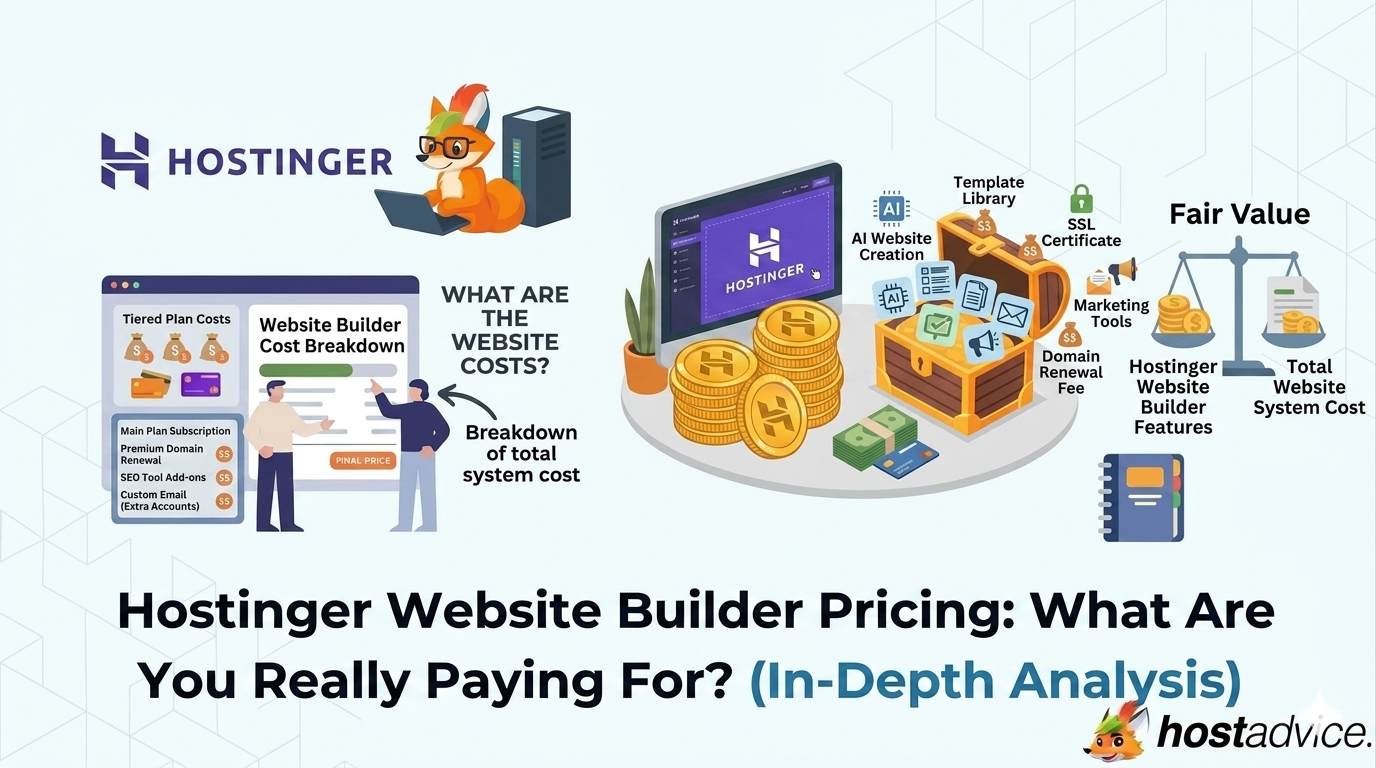
When you evaluate a website builder, pricing often looks deceptively simple. A single monthly number, a few features listed underneath, and a promise that you can launch a site in minutes.
That’s exactly how the Hostinger Website Builder presents itself.
But simplicity in pricing does not always mean simplicity in value. The number you see upfront is only one layer.
What matters more is what that number includes, what it excludes, and how it evolves over time as your needs grow.
Hostinger’s builder is not positioned as a traditional hosting product. It is positioned as a complete website creation system, where hosting, design, and setup are bundled into a single experience. That positioning is what shapes its pricing model.
So instead of asking whether it is cheap or expensive, the better question is this: what kind of user is this pricing designed for, and what are you trading in return for that simplicity?


Key Takeaways
Here’s the quick version before you compare Hostinger’s builder plans, renewal costs, AI tools, and long-term value.
- Hostinger Website Builder starts at around ~$2.99/month on long-term plans, with higher renewal pricing after the initial term.
- Pricing is built around an all-in-one system that includes hosting, builder tools, AI features, and security.
- The low entry cost is promotional, so long-term costs increase once the discount period ends.
- AI tools are a core part of the product, reducing the time needed to build and launch a website.
- Most essential features are included upfront, but limitations are used to encourage upgrades.
- The builder works best for quick launches, small business sites, and users who want to avoid technical setup.
- The main trade-off is simplicity over flexibility, with less control compared to traditional platforms.
Understanding the Hostinger Website Builder Pricing Model
Hostinger Website Builder pricing makes more sense once you see it as an all-in-one site creation package, not just a hosting plan.
Why This Pricing Model Exists
To understand the pricing, you need to understand what it replaces.
In a traditional setup, building a website involves multiple layers: hosting, CMS installation, themes, plugins, performance tuning, and security configuration. Each layer introduces its own cost and complexity.
Hostinger removes that fragmentation. Instead of offering separate tools, it compresses everything into a single environment where the technical setup is handled behind the scenes.
This leads to a fundamentally different pricing structure. You are not paying for infrastructure components individually. You are paying for a system that removes the need to manage them at all.
That distinction matters because it shifts how value is measured. Instead of comparing specs, you are evaluating how much time, effort, and technical overhead the platform saves you.
The Role of AI in Pricing
One of the most important shifts in Hostinger’s builder is the integration of AI. This is not just a feature layered on top. It is a core part of how the product works.
Instead of manually designing a website from scratch, users can generate a full website using prompts. Layouts, content, and even visuals can be created automatically and then refined.
This has a direct impact on pricing because:
- AI tools require infrastructure and processing resources
- They reduce the need for external tools like design and copywriting software
- They significantly shorten setup time
From a user perspective, this means you are not just paying for hosting or a builder. You are paying for the speed of execution.
For beginners, this can remove hours or days of work. For experienced users, it may feel restrictive because automation often comes with reduced control.
How Pricing Is Structured and Why It Looks Cheap
Hostinger uses a familiar pricing strategy built around long-term discounts. The lowest advertised price is typically tied to extended billing cycles, often requiring a multi-year commitment.
This creates a strong first impression of affordability, especially when compared to competitors. However, the actual monthly cost increases once the initial term ends.
What makes Hostinger slightly different is how it avoids heavy reliance on add-ons. Instead of charging for multiple extras during checkout, it:
- Bundles core features upfront
- Keeps checkout relatively clean
- Uses plan limitations to drive upgrades
This approach makes pricing feel transparent, but it also means your growth path is tied to plan tiers rather than optional add-ons.
What This Means for Your Decision
This pricing model is built for clarity, not flexibility.
If your goal is to launch quickly with minimal friction, it works well. Everything is packaged together, and you don’t need to think about technical setup.
However, as your needs evolve, the structured nature of the platform becomes more noticeable. Customization options are limited, and scaling beyond certain use cases may require moving to a different solution.
If you’re unsure, it’s worth reviewing a detailed Hostinger analysis or taking a closer look at our Hostinger Website Builder review to better understand how it fits into the broader ecosystem before committing.
Breakdown of Hostinger Website Builder Plans
Hostinger keeps its website builder pricing intentionally simple. There are no dozens of fragmented tiers or confusing feature bundles. Instead, the structure is built around two core plans, each targeting a different level of usage.
At a glance, the difference between these plans is not just features, but what you are able to do with your website. One is designed for presence, the other for functionality and growth.
You can also take advantage of Hostinger Website Builder coupons where available to further reduce the overall cost, especially on longer billing cycles.
Before going into details, it’s important to understand this:
- You are not upgrading for more features alone
- You are upgrading for capability and use-case expansion
That distinction becomes clearer when you look at each plan closely.

Website Builder Plan
Starts at ~$2.99/month on long-term billing.
This is the starting point for most users and where Hostinger’s pricing feels the most attractive. It is designed for simplicity, giving you everything needed to get a website live without dealing with technical setup.
At this level, the focus is on basic website creation, not business functionality. You are getting a streamlined toolset that prioritizes ease of use over depth.
What makes this plan appealing is how much is included upfront. Hosting, SSL, templates, and AI tools are all bundled together, removing the need to configure anything manually. This significantly lowers the barrier to entry, especially for users with no prior experience.
However, the limitations are intentional. This plan is not built for scaling or monetization. It is built for getting online quickly and maintaining a simple presence.
What you can realistically do with this plan:
- Launch a personal website or portfolio
- Create a small business landing page
- Build a basic informational site
- Test ideas or side projects
Where the limitations start to show:
- No ecommerce or selling capabilities
- Limited flexibility for advanced features
- Not ideal for multi-functional or growing sites
In practical terms, this plan works best when your website is static in purpose. The moment your needs move toward transactions, automation, or growth, you will start feeling its boundaries.
Business Website Builder Plan (Best Value)
Starts at ~$3.99-$4.99/month on long-term billing.
This is where Hostinger’s builder shifts from a simple tool into a functional business platform.
The pricing difference between this and the entry plan is relatively small, but the difference in capability is significant. This is not just an upgrade. It’s a transition from “having a website” to “using a website as a tool.”
The most important addition here is ecommerce functionality. This alone changes how the platform can be used, enabling users to sell products, accept payments, and manage basic online business operations.
Beyond ecommerce, this plan also provides more flexibility, better resource allocation, and access to more advanced features that support real-world usage.
What this plan enables:
- Selling products or services online
- Accepting payments through integrations
- Running a small ecommerce store
- Managing a business website with growth potential
Why this is the most practical choice for most users:
- Removes the biggest limitation of the entry plan
- Supports both content and commerce
- Provides room to grow without immediate migration
Where it still has limits:
- Not as flexible as CMS platforms like WordPress
- Limited advanced customization
- Not ideal for complex or large-scale ecommerce
This plan is where the pricing starts to make strategic sense. For a small increase in cost, you unlock significantly more functionality, making it a more sustainable choice for long-term use.
Quick Comparison: What Actually Changes Between Plans
Use this quick table to see how the entry plan and Business plan differ beyond the monthly price.
| Feature | Website Builder | Business Website Builder |
|---|---|---|
| Starting Price | ~$2.99/month | ~$3.99-$4.99/month |
| Primary Use | Basic websites | Business and ecommerce |
| AI Tools | Included | Included with enhanced usage |
| Ecommerce | Not available | Included |
| Payment Integration | No | Yes |
| Scalability | Limited | Moderate |
| Best For | Personal sites | Small businesses |
Insight: Why the Price Gap Is Small But the Impact Is Big
One of the most important things to understand about Hostinger’s pricing is how small the gap is between plans.
At first glance, the difference of $1-$2 per month may seem negligible. But this is intentional.
Hostinger uses this narrow gap to guide users toward the Business plan because:
- It delivers more long-term value
- It reduces early upgrade friction
- It aligns better with real-world use cases
This is why most users eventually end up on the Business plan, even if they start with the entry tier.
From a decision-making standpoint, this creates a simple framework:
- If you only need a website, the entry plan works
- If you need your website to do something, the Business plan is the better choice
Key Features That Actually Influence Pricing
A few bundled tools explain why Hostinger prices the builder around convenience, speed, and reduced setup work.
All-in-One Infrastructure
One of the biggest pricing drivers is what is included by default.
With Hostinger Website Builder, several components that are typically separate costs are bundled together:
- Hosting infrastructure
- SSL certificate
- Domain for the first year
- Basic security features
- Performance optimization handled internally
This bundled approach simplifies decision-making and reduces initial setup costs. You are not required to piece together different services or worry about compatibility between tools.
However, this also means you are operating within a controlled environment. You do not have direct access to server-level customization or advanced performance tuning.
Ease of Use as a Cost Factor
Ease of use is not just a feature here. It is part of what you are paying for.
The builder is designed to guide users through the process of creating a website with minimal friction. Templates, layouts, and editing tools are structured to reduce decision fatigue and prevent common mistakes.
This has two major implications:
- It reduces the time required to build and maintain a site
- It limits how much you can customize beyond the predefined structure
For many users, especially beginners, this trade-off is beneficial. It allows them to focus on content and purpose rather than technical details.
For others, it may feel restrictive, particularly if they have specific design or functionality requirements.
AI Tools and Automation
AI is one of the strongest differentiators in Hostinger’s builder. It influences both usability and pricing.
The platform includes AI across multiple layers:
- Website generation
- Content assistance
- Design suggestions
- Image creation
This reduces reliance on external tools and speeds up the entire process of launching a website.
From a pricing perspective, this positions the builder as more than just a hosting solution. It becomes a productivity tool that reduces manual work.
Templates and Design Constraints
Templates are designed to accelerate the creation process. Instead of building layouts from scratch, users work within structured systems that guide design decisions.
This approach improves consistency and usability, but it also introduces constraints. You are working within predefined frameworks rather than creating entirely custom designs.
This is one of the core trade-offs embedded in the pricing model:
- Gain: Faster setup, fewer errors, and an easier design process
- Lose: Full creative control and advanced customization
Hidden Costs and Pricing Reality
The upfront price looks simple, but renewals, domains, and plan limits still shape the real cost over time.
Renewal Pricing
The most important cost consideration is what happens after the initial billing period.
The introductory pricing is designed to attract users, but it does not reflect the long-term cost. Once the initial term ends, the price increases to the standard rate.
This means your actual cost over time depends on:
- Your billing cycle, whether monthly or long term
- Whether you renew at standard rates
- How long you plan to use the platform
For short-term projects, the discounted pricing can be very cost-effective. For long-term use, it is important to evaluate the total cost rather than just the entry price.
Domain Renewal Costs
The free domain included in the first year is a useful benefit, but it is temporary. After the first year, standard renewal fees apply.
While this is common across hosting providers, it is often overlooked when calculating total cost. Over time, domain renewal becomes part of your ongoing expenses.
Limitations vs. Add-Ons
Hostinger does not heavily rely on add-ons in the website builder. Instead, it uses feature limitations to guide users toward higher-tier plans.
This means:
- You won’t encounter many surprise fees at checkout
- You may hit feature limits as your needs grow
- Upgrading becomes the primary path forward
This approach keeps pricing clean and predictable, but it requires you to think ahead about your future needs.
Key Insight: What You’re Actually Paying For
At its core, Hostinger Website Builder pricing is not about features alone.
You are paying for a combination of:
- Reduced setup time
- Simplified workflow
- Integrated tools
- Lower technical complexity
You are not paying for:
- Full control over infrastructure
- Advanced customization capabilities
- Developer-level flexibility
This creates a clear trade-off.
You gain speed and convenience, but you give up a level of control. For many users, this is a worthwhile exchange. For others, it may become a limitation as their needs evolve.
Hostinger Website Builder vs. Other Website Builders
Hostinger sits on the simpler and cheaper side of the builder market, so the best comparison depends on how much control you need.
| Provider | Starting Price | Strength | Trade-Off |
|---|---|---|---|
| Hostinger | ~$2.99/month | Low cost, AI tools, all-in-one setup | Limited customization, less flexibility |
| Wix | ~$4.50-$6/month | Design flexibility, large template library | Ads on lower plans, pricing scales quickly |
| Squarespace | ~$16/month | Strong design quality, polished templates | Higher cost, less beginner-friendly |
| Shopify | ~$39/month | Powerful ecommerce tools, scalability | Expensive, overkill for simple sites |
| Webflow | ~$14/month | Advanced design control, developer-friendly | Steeper learning curve, complex setup |
Hostinger positions itself at the low-cost, simplicity-first end of the website builder market.
It competes most directly with platforms like Wix and Squarespace, but differentiates itself by combining AI-driven website creation, hosting, and core features into a single bundled price. This makes it particularly appealing for users who want to go from idea to live website with minimal setup.
However, when compared to more advanced platforms, the trade-offs become clearer. Builders like Webflow offer significantly more design control, while Shopify provides deeper ecommerce capabilities and scalability.
In simple terms, Hostinger prioritizes speed, affordability, and ease of use, but does so by limiting flexibility and advanced customization.
How to Evaluate If It’s Worth It for You
The value of this pricing model depends heavily on your starting point and goals.
If you are building your first website, the builder provides a fast and straightforward path from idea to launch. The combination of AI tools, templates, and bundled features reduces both the learning curve and the time investment.
If you already have experience with website development, the value becomes more nuanced. You may appreciate the convenience, but you may also find the limitations restrictive, especially if you require specific functionality or design flexibility.
For businesses, the decision often comes down to the role of the website.
- If the website is a simple online presence, the builder is efficient and cost-effective
- If the website is central to operations, more flexible platforms may be worth the added complexity
Final Verdict: Who This Pricing Works For and Who It Doesn’t
Hostinger Website Builder pricing is optimized for a specific type of user.
It works best for:
- Beginners with no technical background
- Freelancers building simple client sites
- Small businesses needing a quick online presence
- Users who prioritize speed and simplicity
It may not be ideal for:
- Developers needing full control
- Complex or highly customized websites
- Projects requiring long-term scalability
- Users planning advanced integrations
The key is alignment. If your needs match what the builder is designed for, the pricing offers strong value. If not, the limitations may outweigh the benefits.
Conclusion
Hostinger Website Builder pricing is built around a simple idea: reduce the complexity of building a website by bundling everything into one system.
This makes it accessible, efficient, and easy to use, especially for beginners and small projects. The inclusion of AI tools further strengthens its value by reducing the time and effort required to get online.
At the same time, the trade-offs are clear. Flexibility is limited, customization is constrained, and long-term costs depend on renewal pricing.
Ultimately, the decision comes down to priorities.
If you value convenience and speed, the pricing model works in your favor. If you value control and scalability, it may be worth considering alternatives.
Next Steps: What Now?
Use these quick checks to choose the right plan, avoid renewal surprises, and make sure the builder fits your long-term needs.
- Start with a plan that fits your current needs, not just the lowest price.
- Choose a longer billing cycle if you want the lowest monthly cost.
- Factor in renewal pricing early to avoid surprises later.
- Decide if you need ecommerce before choosing a plan.
- Check whether built-in AI tools replace other tools you would otherwise pay for.
- Think about future growth to avoid early upgrades or migration.
- Use a Hostinger Website Builder coupon before checkout if one is available.
