
Portfolio Website Builders: Features Overview
| Provider | Starting Price | Rating | Moneyback | |
|---|---|---|---|---|
![]() | A$11.76 | 7 Days | Visit SITE123 | |
![]() | A$2.55 | 30 Days | Visit Hostinger | |
![]() | A$10.56 | Free Trial | Visit Wix | |
![]() | A$37.71 | - | Visit Lovable | |
| | A$6.90 | 15 Days | Visit One.com | |
| | A$24.13 | - | Visit Base44 | |
![]() | A$28.66 | 14 Days | Visit Squarespace | |
![]() | A$13.67 | 30 Days | Visit Elementor | |
![]() | A$24.13 | 30 Days | Visit Bluehost | |
![]() | A$1.51 | 30 Days | Visit IONOS |
What Is a Portfolio Website Builder?
A portfolio website builder is a platform that allows individuals, such as artists, designers, photographers, or freelancers, to create an online space to showcase their work. These builders help users without technical expertise build visually appealing, professional websites with ease.
Key Features of Portfolio Website Builders:
- Templates for Visual Appeal: Pre-designed templates tailored for creative portfolios to highlight projects effectively.
- Drag-and-Drop Functionality: Simple tools to customize layouts, colors, and fonts without coding skills.
- Gallery and Media Support: Options for uploading high-quality images, videos, and audio to showcase your work.
- SEO Tools: Built-in features to optimize the website for search engines and attract more visitors.
- Mobile Responsiveness: Ensures your portfolio looks great on all devices, including smartphones and tablets.
When to Use and When to Avoid Portfolio Website Builders
| When to Use a Portfolio Website Builder | When to Avoid a Portfolio Website Builder |
| When you want to showcase your creative work, such as photography, art, or design. | If you need a highly customized website with advanced features beyond the builder’s capabilities. |
| For freelancers and professionals looking to attract clients with an online portfolio. | When you already have a team or budget for a custom-built website. |
| If you lack technical skills and need an easy-to-use platform to create your website. | If you require full control over the backend, hosting, or website infrastructure. |
| To create a cost-effective website quickly, without the need to hire developers. | When you need scalability for e-commerce or complex integrations. |
| If you need mobile-responsive templates and tools to enhance your online presence. | If you’re working on a long-term project requiring extensive custom development. |
| For creative industries where visuals and easy navigation are essential. | When your project involves extensive coding or development needs that builders can’t support. |
If a Portfolio Website Builder is not relevant to your needs, consider these alternatives:
- Website Builders: For general-purpose website creation with broader flexibility.
- Cloud Hosting: Offers scalable and fast hosting for portfolio websites with high traffic.
- Reseller Hosting: Ideal for freelancers or agencies managing multiple portfolios.
- Linux Hosting: Cost-effective and compatible with many portfolio platforms.
- PHP Hosting: Perfect for portfolios built using PHP-based frameworks or custom code.
How to Choose the Best Portfolio Website Builder
When selecting the best portfolio website builder, keep the following factors in mind to ensure it meets your creative and professional needs:
- Ease of Use: Opt for a platform with an intuitive interface and drag-and-drop functionality, especially if you lack technical skills or coding knowledge.
- Customizable Templates: Look for builders that offer a variety of modern, visually appealing templates designed specifically for portfolios, with options for personalization to match your style.
- Media Integration: Ensure the builder supports seamless integration of high-resolution images, videos, galleries, and other media types to showcase your work effectively.
- Mobile Responsiveness: Choose a platform that provides mobile-optimized designs so your portfolio looks professional on all devices, from desktops to smartphones.
- SEO Tools: Select a builder with built-in SEO features to help your portfolio rank higher on search engines, improving your visibility to potential clients or employers.
- Scalability: Consider whether the platform can grow with you, offering advanced features like custom domains, additional storage, or e-commerce tools if needed in the future.
- Cost and Value: Compare pricing plans to find one that fits your budget while offering the features you need. Watch out for hidden fees like renewal costs or additional charges for premium tools.
- Customer Support: Opt for a builder with reliable customer support, including live chat, email, or comprehensive help centers to assist with any issues.
10 Best Portfolio Website Builders Providers in November 2026
-
Top 10 AI Website Builder 2026
-
Top 25 Website Builder 2026

Site123 Website Builder is an intuitive and user-friendly platform designed for individuals and small businesses looking to create websites quickly and efficiently. Offering a variety of templates, drag-and-drop functionality, and essential features, Site123 is an ideal choice for users with little to no technical experience.
Rating Based on Expert Review:
- Overall Score: 4.7
- Features: 4.8
- Reliability: 4.7
- User-Friendly: 5.0
- Support: 4.6
- Pricing: 4.8
Detailed Analysis:
- Features: Site123 offers a wide range of customizable templates, allowing users to create a professional-looking website without any coding knowledge. The platform includes an easy-to-use drag-and-drop builder, free SSL certificates, integrated SEO tools, and social media integrations. Site123 also includes mobile-friendly designs, ensuring that your website looks great on all devices.
- Reliability: Site123 ensures reliable website performance with a solid hosting infrastructure that guarantees minimal downtime. The platform’s hosting is optimized for speed, ensuring your website loads quickly and performs consistently.
- User-Friendly: One of Site123’s standout features is its user-friendly interface. The platform is designed for non-technical users, making it easy to build a website using simple drag-and-drop tools. Site123 offers a step-by-step guide to help users through the website creation process, making it ideal for beginners.
- Support: Site123 provides customer support through live chat, email, and a help center. While their support team is helpful, some users may find the response times slower compared to other website builders. However, the extensive knowledge base and helpful resources on the platform can address most common issues.
- Pricing: Site123 offers a free plan, but the premium plans offer more features, including additional storage, custom domains, and eCommerce capabilities. Their pricing is competitive, providing an affordable solution for users looking to build a website without high upfront costs.
Pros and Cons:
-
Best Overall Hosting 2026
-
Users Top Choice 2026
-
Most Recommended NodeJS 2026
-
Best AI App Builder 2026
-
Top 5 Europe Web Hosting 2026

Hostinger’s website builder is a great option for users seeking an affordable and feature-rich platform to create a website. With easy-to-use tools, a variety of customizable templates, and e-commerce options, Hostinger allows users to quickly create and launch a website.
Rating Based on Expert Review:
- Overall Score: 4.6
- Features: 4.7
- Reliability: 4.6
- User-Friendly: 4.7
- Support: 4.6
- Pricing: 4.8
Detailed Analysis:
- Features: Hostinger’s website builder includes a drag-and-drop editor, customizable templates, and integrations with popular apps. It provides built-in SEO tools, social media integrations, and e-commerce functionality for online stores. Additionally, it includes free SSL certificates and mobile-friendly designs.
- Reliability: Hostinger’s infrastructure ensures reliable website performance with fast loading times and high uptime. Their platform is designed to handle small to medium-sized websites with ease.
- User-Friendly: Hostinger’s website builder is easy to navigate, even for beginners. The drag-and-drop functionality and customizable templates allow for quick website creation without any coding knowledge.
- Support: Hostinger offers 24/7 customer support through live chat, email, and phone. Their support team is responsive and can help resolve any technical issues or provide guidance during the website building process.
- Pricing: Hostinger offers affordable pricing for its website builder, with plans starting at $1.99 per month. Their plans provide a solid range of features for individuals and small businesses looking to build a website at an affordable price.
Pros and Cons:
-
Best Website Builder Provider 2026
-
Top 25 Website Builder 2026

Wix offers an intuitive and user-friendly website builder, ideal for individuals and small businesses looking to create a professional website quickly. With a drag-and-drop interface, a wide variety of templates, and strong support, Wix provides an accessible platform for building websites without the need for coding skills.
Rating Based on Expert Review:
- Overall Score: 4.7
- Features: 4.8
- Reliability: 4.7
- User-Friendly: 4.9
- Support: 4.7
- Pricing: 4.6
Detailed Analysis:
- Features: Wix’s website builder includes a vast selection of templates, customizable design options, and a drag-and-drop editor for easy website creation. Users also get access to built-in SEO tools, e-commerce features, and the ability to integrate third-party apps. Wix also offers free SSL certificates and mobile optimization.
- Reliability: Wix ensures reliable performance with its cloud hosting infrastructure. Websites built on Wix run smoothly and maintain high uptime, offering fast loading times and a stable experience for visitors.
- User-Friendly: The drag-and-drop functionality makes Wix extremely user-friendly, even for beginners. Users can easily customize templates, add content, and launch their website without needing technical expertise.
- Support: Wix provides 24/7 customer support through live chat, email, and phone. Their support team is helpful and knowledgeable, assisting users with any issues related to the website building process.
- Pricing: Wix offers a free plan and various paid options, starting at $14 per month. Their plans are affordable and provide a good range of features for individuals and businesses looking for a simple website builder.
Pros and Cons:
-
Top 10 AI App Builders 2026

This portfolio website builder is ideally suited for artists, photographers, designers, and other creative professionals who need an intuitive platform to showcase their work online. It caters particularly to individuals and small businesses seeking a beautiful, easy-to-manage online presence without needing any coding expertise.
Rating Overview
- Overall Score: 4.6
- Pricing: 4.5
- Features: 4.7
- Performance: 4.6
- Support: 4.3
- User Friendly: 4.9
This platform shines as a dedicated solution for creatives, offering a streamlined path to a stunning online portfolio. Its core strength lies in providing a highly visual and intuitive experience, allowing users to focus on presenting their work rather than technical complexities. With a focus on aesthetic design and media handling, it empowers users to build professional-looking sites quickly.
It’s designed to ensure that your creative projects are presented in the best possible light, featuring responsive designs that look great on any device. The emphasis on ease of use makes it accessible for anyone looking to establish a strong online presence for their portfolio.
Detailed Analysis
Features: You’ll find a robust set of features tailored for visual content, including drag-and-drop page building, a wide array of responsive templates, and advanced galleries for images and videos. Custom domain support, basic SEO tools, and options for client proofing or even selling prints are often included, making it a comprehensive tool for creatives.
Reliability: The platform is built for stable performance, ensuring your portfolio remains accessible and loads quickly for visitors. With a strong infrastructure, it minimizes downtime, which is crucial for maintaining a professional image and ensuring potential clients can always view your work without interruption.
User-Friendly: This builder excels in user-friendliness, offering an intuitive interface that requires no technical knowledge. The guided setup, pre-designed sections, and drag-and-drop editor allow for quick customization and publishing, making it ideal for those who prefer a straightforward and efficient design process.
Support: Support options typically include an extensive knowledge base, video tutorials, and email assistance to help users with common queries and design challenges. While direct phone support may be premium, the available resources are generally comprehensive enough for the target audience.
Pricing: Pricing plans are structured to cater to various needs, from basic portfolios to advanced options with e-commerce capabilities. They typically offer transparent, subscription-based models with different tiers that include varying storage, features, and custom domain options, providing good value for creative professionals.
- Extremely intuitive drag-and-drop interface for ease of use
- Beautiful, modern templates specifically designed for portfolios
- Excellent media handling for high-quality images and videos
- Built-in mobile responsiveness ensures great display on all devices
- Dedicated features for creative professionals like client proofing
- Limited advanced coding or extensive customization options
- Scaling beyond basic portfolio needs might require higher-tier plans
-
Top 5 Europe Web Hosting 2026
-
Top 10 Reseller Hosting 2026
-
Top 25 WordPress Hosting 2026

One.com provides an easy-to-use website builder hosting solution designed to help creative professionals, freelancers, and artists build beautiful online portfolios without technical hassle.
Rating Overview:
- Overall Score: 4.5
- Pricing: 4.5
- Features: 4.4
- Performance: 4.5
- Support: 4.5
- User Friendly: 4.7
Detailed Analysis:
- Pricing: One.com offers affordable plans that combine hosting and a drag-and-drop website builder, providing excellent value for freelancers and creatives on a budget.
- Features: Includes customizable portfolio templates, image galleries, blogging tools, and basic SEO features to showcase your work and attract visitors effectively.
- Performance: Reliable hosting ensures fast load times and consistent uptime, helping your portfolio impress visitors with smooth performance.
- Support: 24/7 customer support via live chat and email assists with setup, customization, and troubleshooting to keep your portfolio online and professional.
- User Friendly: The intuitive interface allows easy site creation and updates without coding, making portfolio management accessible to everyone.
- Easy-to-customize portfolio templates
- Drag-and-drop builder for quick setup
- Affordable hosting bundled with builder tools
- Limited advanced gallery or customization options
- May lack features for highly complex portfolios
-
Best AI Website Builders 2026

Base44 positions itself as a specialist in the Portfolio Website Builders space, delivering sleek, visual‑first tools for creatives. It’s especially suited for designers, photographers, and agencies seeking a polished online showcase without deep technical overhead.
Rating Overview
- Overall Score: 4.6
- Pricing: 4.3
- Features: 4.7
- Performance: 4.5
- Support: 4.4
- User Friendly: 4.6
Base44’s platform shines with a drag‑and‑drop editor that lets users build striking portfolios in minutes. The service bundles high‑resolution image handling, customizable galleries, and integrated SEO tools, ensuring both visual impact and discoverability.
Performance is bolstered by a global CDN and optimized image delivery, while the support team offers live chat and comprehensive knowledge bases. Pricing tiers are transparent, with a free starter plan and scalable premium options for growing creative businesses.
Detailed Analysis
Features: Base44 offers a rich set of design modules, pre‑built templates, and seamless integration with popular photo‑storage services, empowering creators to craft unique portfolios without coding.
Reliability: Hosted on a network of data centers across North America and Europe, the platform guarantees 99.9% uptime and automatic backups, ensuring sites stay live and data stays safe.
User‑Friendly: The intuitive visual builder, real‑time preview, and one‑click publishing make site creation accessible to non‑technical users while still offering advanced style controls for power users.
Support: Customers receive 24/7 live chat, email assistance, and a detailed documentation hub, with response times averaging under five minutes for critical issues.
Pricing: Plans start at $12/month for the basic portfolio package, scaling to $35/month for the premium tier that includes white‑label branding, advanced analytics, and priority support.
- Intuitive drag‑and‑drop builder for rapid design
- Extensive library of high‑quality portfolio templates
- Seamless integration with e‑commerce and photo storage services
- Robust SEO and performance optimization tools
- Limited advanced developer controls for custom code
- Higher price tier required for premium integrations
-
Top 10 Website Builder 2026

Squarespace offers a highly elegant, user-friendly website builder ideal for individuals and businesses seeking beautiful and functional websites. With its wide range of templates, drag-and-drop functionality, and powerful features, Squarespace makes it easy to create stunning websites, even for users with minimal technical expertise.
Rating Based on Expert Review:
- Overall Score: 4.8
- Features: 4.9
- Reliability: 4.8
- User-Friendly: 4.9
- Support: 4.8
- Pricing: 4.7
Detailed Analysis:
- Features: Squarespace’s website builder includes a variety of customizable templates, a drag-and-drop editor, and integrated tools for blogging, e-commerce, and portfolio creation. It also includes built-in SEO features, SSL certificates, social media integrations, and analytics. Squarespace’s responsive templates are designed to look great on all devices.
- Reliability: Squarespace provides reliable performance, offering excellent uptime and fast loading times for websites. The platform is optimized to handle various types of websites, from blogs and portfolios to online stores and business websites, ensuring a smooth user experience.
- User-Friendly: Squarespace is known for its user-friendly interface. The drag-and-drop builder is intuitive, and setting up a website requires no coding skills. Squarespace also includes built-in tools for managing content, customizing designs, and integrating with third-party apps, all in one platform.
- Support: Squarespace offers 24/7 customer support via live chat, email, and a comprehensive knowledge base. Their support team is responsive and provides helpful solutions for website setup, troubleshooting, and technical issues.
- Pricing: Squarespace pricing starts at $12 per month, which includes all essential features for website building. Their pricing is reasonable for the features provided, although it may be on the higher end compared to some basic website builders.
Pros and Cons:
-
Top 10 Website Builder 2026
-
Top 10 AI Website Builder 2026

Elementor stands out as a top-tier website builder for creatives, freelancers, and agencies who want to build stunning, responsive portfolios with precision. It’s a WordPress-based platform that empowers users with complete design control using drag-and-drop functionality, animation tools, and a library of sleek portfolio templates.
Rating Based on Expert Review:
- Overall Score: 4.8
- Design Flexibility: 5.0
- Ease of Use: 4.7
- Performance: 4.6
- Customer Support: 4.7
- Value for Money: 4.8
Detailed Analysis:
- Design Flexibility: Elementor offers unmatched customization through pixel-perfect layouts, motion effects, and pre-designed portfolio widgets, enabling users to create truly unique portfolios.
- Ease of Use: Even non-coders can easily create beautiful pages using its intuitive drag-and-drop interface, while developers can enjoy deep customization through CSS and custom code support.
- Performance: With lightweight, responsive templates and optimization tools like lazy loading, Elementor ensures your portfolio loads quickly and looks sharp on all devices.
- Support: Elementor provides an extensive knowledge base, video tutorials, and premium support to help users solve issues and refine their sites effectively.
Pros and Cons:
- Powerful visual editor with real-time preview
- Dozens of portfolio-ready templates
- Full control over responsive design
- Integrates easily with WordPress and WooCommerce
- Affordable Pro plans with advanced widgets
- Requires WordPress installation (not a standalone builder)
- Free version has limited portfolio features
- Advanced animations can impact performance if not optimized
-
Top 10 WordPress Hosting 2026
-
Top 10 Website Builder 2026
-
Over 99% Uptime 2023
-
Top 25 WordPress Hosting 2023

Bluehost is a practical portfolio website builder choice if you want a guided, builder-style start while keeping the long-term flexibility of WordPress. It works well for photographers, designers, writers, and freelancers who need a professional site with galleries, project pages, and a contact form, but don’t want to hire a developer. Bluehost’s builder-assisted onboarding helps you launch quickly with templates and structured pages, then expand with WordPress plugins for SEO, forms, and performance tuning as your portfolio grows. It’s best for creators who want ownership and flexibility rather than a closed, all-in-one builder platform.
Rating Overview
- Overall Score: 4.5
- Performance: 4.6
- Support: 4.5
- Security: 4.5
- Pricing: 4.3
- Ease of Use: 4.6
Detailed Analysis
Performance: Bluehost performs well for portfolio sites when you keep themes lightweight and optimize image-heavy pages. This matters because high-resolution photos and videos can slow load times quickly. With basic caching and compressed media, portfolio galleries remain fast and smooth for visitors.
Support: Support is helpful for launch essentials like domain setup, SSL, email, and basic WordPress questions. This reduces friction for creators who want to focus on content rather than technical setup. More complex issues—plugin conflicts, advanced galleries, or custom styling—may still require WordPress troubleshooting.
Security: Security fundamentals are solid for portfolio sites, especially when paired with routine WordPress updates and strong admin credentials. Portfolios often include contact forms, so protecting admin access and enabling backups is important. If you collect client inquiries, secure form handling and spam controls improve reliability.
Pricing: Pricing is reasonable for creators who want a professional site without paying ongoing platform subscriptions for a hosted builder. Long-term costs depend on renewals and optional premium themes or plugins. It’s best value if you keep the site simple and upgrade only when traffic and features demand it.
Ease of Use: Builder-style onboarding makes it easy to create key pages like work, about, and contact quickly. Updating projects and adding new portfolio items becomes straightforward once your structure is set. Advanced design polish can take time, but the workflow is manageable for non-technical users.
Pros and Cons
- Guided WordPress setup suited to portfolio websites
- Good performance potential with optimized images and caching
- Helpful support for launch essentials and setup tasks
- Easy to expand with galleries, SEO, and form plugins
- Full ownership and flexibility compared to closed builders
- Image-heavy portfolios require careful optimization
- Premium themes and plugins can add to total cost
- Advanced customization may require WordPress knowledge
-
Best Value for Money 2026
-
Editor's Choice 2026
-
Most Recommened PHP Hosting 2026
-
Top 5 UK Web Hosting 2026
-
Top 5 Europe Web Hosting 2026

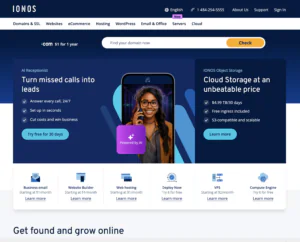
IONOS offers a robust website builder with a focus on providing businesses with the tools they need to create a professional online presence. With a wide range of templates, e-commerce capabilities, and an easy-to-use editor, IONOS helps businesses and individuals build their websites efficiently.
Rating Based on Expert Review:
- Overall Score: 4.6
- Features: 4.7
- Reliability: 4.6
- User-Friendly: 4.5
- Support: 4.7
- Pricing: 4.5
Detailed Analysis:
- Features: IONOS’s website builder includes customizable templates, a drag-and-drop editor, and built-in SEO tools. It offers e-commerce features for online stores, integration with social media, and additional marketing tools to help users grow their online presence. Free SSL certificates and mobile optimization are also included.
- Reliability: IONOS provides reliable hosting, ensuring fast page loading times and high uptime for websites. The platform is built to scale with your business, providing stable and efficient performance.
- User-Friendly: The website builder is user-friendly with a drag-and-drop editor, although some users may find the interface slightly more complex compared to simpler website builders. Still, the platform is accessible to both beginners and experienced users.
- Support: IONOS offers 24/7 customer support via live chat, phone, and email. Their support team is responsive and provides effective solutions for website building and troubleshooting issues.
- Pricing: IONOS offers competitive pricing starting at $5 per month. Their plans come with various features, including e-commerce capabilities, making them a good choice for businesses. However, the cost may be higher compared to other website builders.
Pros and Cons:
What Types of Professionals Benefit Most from Portfolio Website Builders?
Portfolio website builders are ideal for creative professionals and businesses seeking to showcase their work online. Key beneficiaries include:
- Photographers: Display high-quality galleries of their best shots.
- Designers: Highlight UX, graphic, or product design projects with visually stunning layouts.
- Artists: Share paintings, illustrations, and multimedia art to attract buyers or patrons.
- Freelancers: Demonstrate expertise and completed projects to potential clients.
- Writers: Publish blogs, articles, or samples to establish authority and secure work.
- Small Businesses: Present services or products in a polished and organized way.
With templates, SEO tools, and media integration, these builders simplify creating professional online showcases.
Do Portfolio Website Builders Support E-Commerce Features?
Yes, many portfolio website builders include built-in e-commerce tools to enable selling directly through your site. These features may include:
- Payment Gateways: Secure options like PayPal, Stripe, or credit card payments.
- Inventory Management: Track product availability and update listings effortlessly.
- Shopping Carts: Provide a smooth checkout experience for customers.
- Digital Downloads: Sell artwork, templates, or e-books with instant delivery.
- Marketing Tools: Offer discounts or promotional codes to boost sales.
Whether you’re an artist selling prints or a designer offering templates, these features make it easy to turn your portfolio into an online store.
Why Trust Our Recommendations?
At HostAdvice, we prioritize delivering unbiased and reliable evaluations of portfolio website builders. Our team combines expert analysis with real-world user feedback to ensure our recommendations are well-rounded and trustworthy.
Each platform is rigorously tested on critical factors like ease of use, design flexibility, customization options, performance, and scalability. We also evaluate unique features such as template variety, SEO tools, and media integration capabilities to ensure they meet the needs of diverse users.
By focusing on both technical performance and user satisfaction, we aim to provide actionable insights to help you confidently choose the best portfolio website builder to showcase your work professionally.
How Do We Test and Rank?
Choosing which website builders are the best among all the options available on the market is a long task with a lot of research involved. To save you from spending hours and days researching the Internet in search of the best website builders, we have created our own ranking system, which we used to rank and compile our list of the “Best website builders for portfolios.”
In order to properly rank each website builder and determine which are the top 10 best builders, we have put each platform through a series of rigorous tests. Our experts have also bought and tested out a plan from each builder to get further insight into their features and services.
Also, we based our ranking on five factors we deem to be the most important for building portfolios. Each factor has its own percentage of importance, and the factors include:
- Design (25%): can everyone use the website builder, how easy it is to use the builder, how long it takes to learn to use the builder, are the builder’s Control Panel and dashboard well structured and organized
- Pricing (20%): is the builder more expensive than its competitors, what kind of features does it offer for its prices, are the features worth the money, is there a free trial, does the builder offer refunds
- SEO Features (30%): does the builder offer any SEO features, what kind of SEO features does the builder offer, are the SEO features enough for ranking your portfolio
- Ease-of-use (15%): is the builder beginner-friendly, is it easy to use, does it require prior coding knowledge from users, how steep is the builder’s learning curve
- Support (10%): does the builder offer support, what kind of support does it offer (live chat, email, phone, a ticketing system), how long does the builder take to respond, does the builder usually solve issues right away
Best Portfolio Website Builders: Final Recommendations
Choosing the right portfolio website builder is crucial for creating a professional and visually appealing platform to showcase your work. Prioritize builders that offer customizable templates, user-friendly design tools, and features like media integration for portfolios that stand out.
Look for platforms with responsive designs to ensure your portfolio looks great on any device, and SEO tools to increase visibility. Scalability is also essential if you anticipate expanding your portfolio or adding advanced features in the future.
Additionally, opt for builders with reliable customer support and transparent pricing to ensure a smooth experience. The builders highlighted in this article provide the perfect balance of design flexibility, ease of use, and functionality. Explore your options and choose the one that best aligns with your creative and professional goals.