


Set up your professional email hosting now with an 87% discount (includes an exclusive 15% HostAdvice coupon)


Set up your professional email hosting now with an 87% discount (includes an exclusive 15% HostAdvice coupon)
Get up to 78% off Hostinger Reach – AI-powered email marketing tool
Get up to 82% OFF Web Hosting when you use this exclusive HostAdvice coupon. This offer applies an additional 15% discount on top of Hostinger’s regular pricing, plus a free domain for the first year.
Save up to 82% on Hostinger Managed WordPress Hosting with this exclusive HostAdvice coupon. The final discount includes an extra 15% OFF applied at checkout, on top of Hostinger’s regular offer, giving you a lower price than purchasing directly.
Strengthen customer trust with custom business email. Boost team collaboration with familiar tools like Google Docs, Sheets, and Slides.


| Description | Discount | Coupon Code | |
|---|---|---|---|
| 82% OFF Web Hosting (Includes an Exclusive 15% HostAdvice coupon + FREE domain) | 82% OFF | HASPECIAL | Copy Code |
| 82% OFF Managed WordPress Hosting (Includes an Exclusive 15% coupon + FREE domain) | 82% OFF | HASPECIAL | Copy Code |
| 74% OFF VPS Hosting (Includes an Exclusive 15% HostAdvice Coupon Code) | 74% OFF | HOSTADVICEVPS | Copy Code |
| 78% OFF Hostinger Reach for Email Marketing (Includes an Exclusive 10% Hostadvice coupon) | 78% OFF | HOSTADVICE | Copy Code |
| Up to 87% OFF Business Email Hosting (includes an exclusive 15% HostAdvice coupon) | 87% OFF | HASPECIAL | Copy Code |
| 74% OFF Managed Cloud Hosting (Includes an Exclusive 10% HostAdvice coupon) | 74% OFF | HOSTADVICE | Copy Code |
| 81% OFF Hostinger AI Builder (Formerly Horizons) Includes an Exclusive 10% Discount Code | 81% OFF | HOSTADVICE | Copy Code |
It’s actually pretty straightforward to get your discount. Here’s a step-by-step guide:
First things first, you’ll want to find a great discount coupon for Hostinger’s email services. Once you’ve picked one, simply click “Show Code” and make sure to copy it to your clipboard. That code is your key to savings!
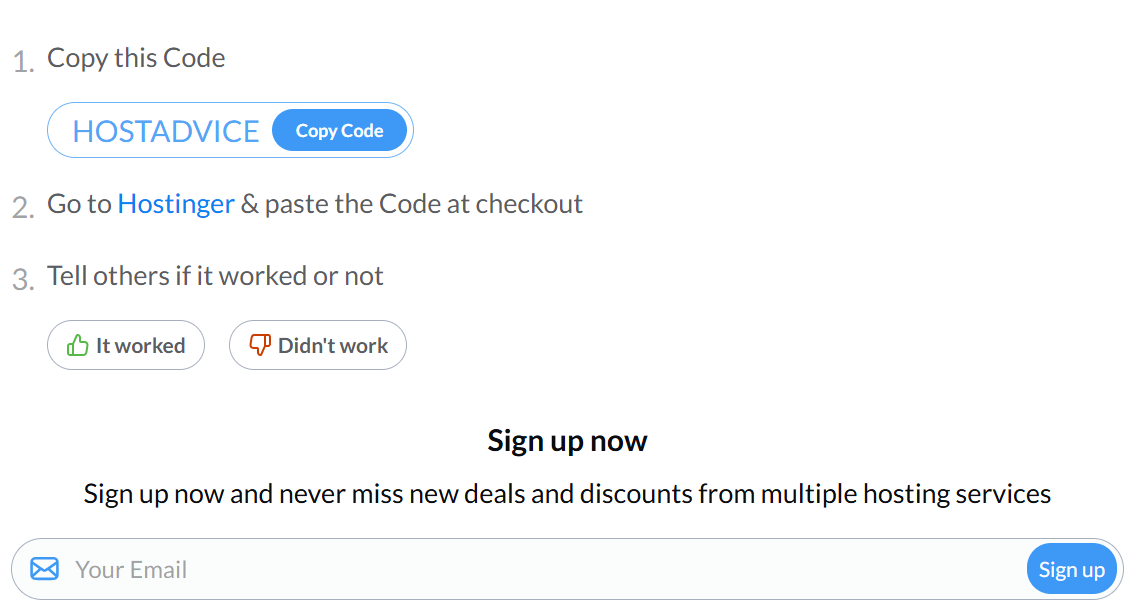
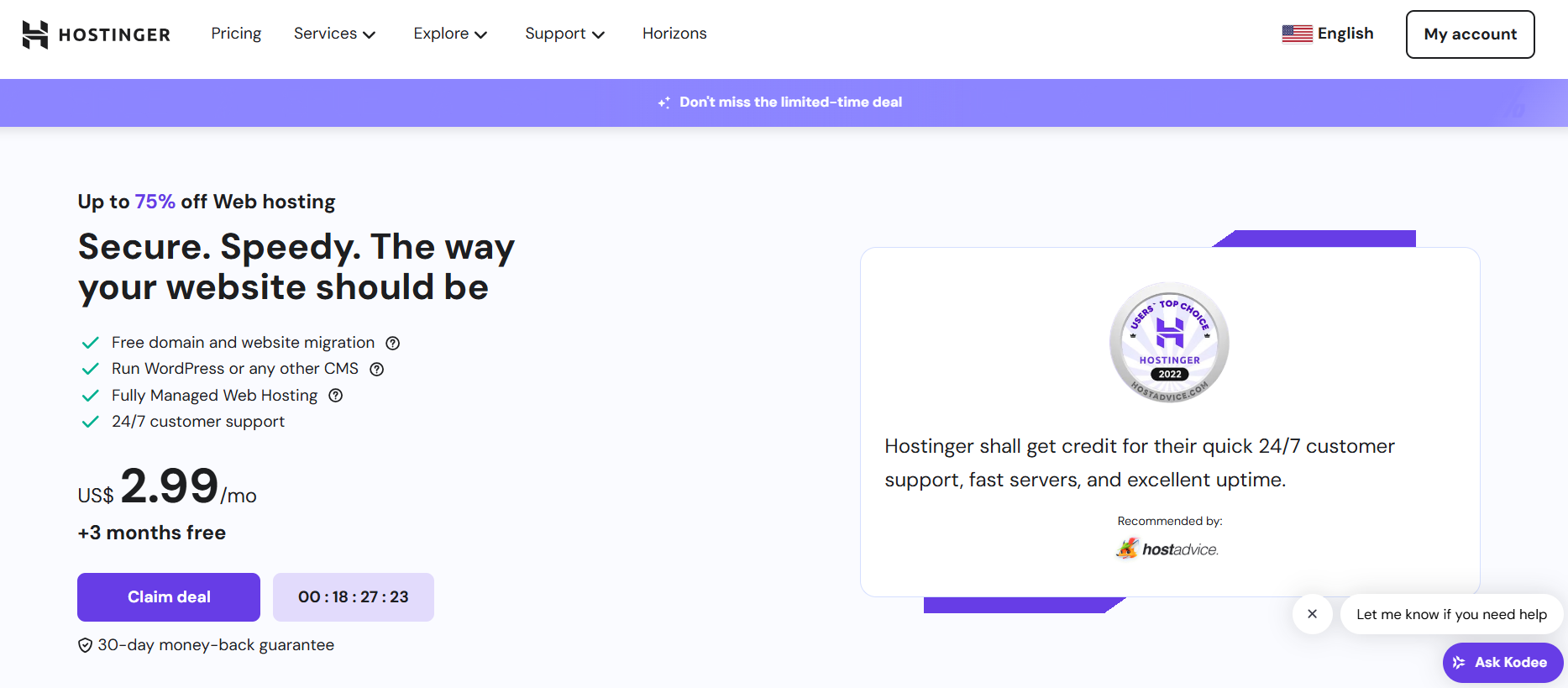
Next, head over to the official Hostinger.
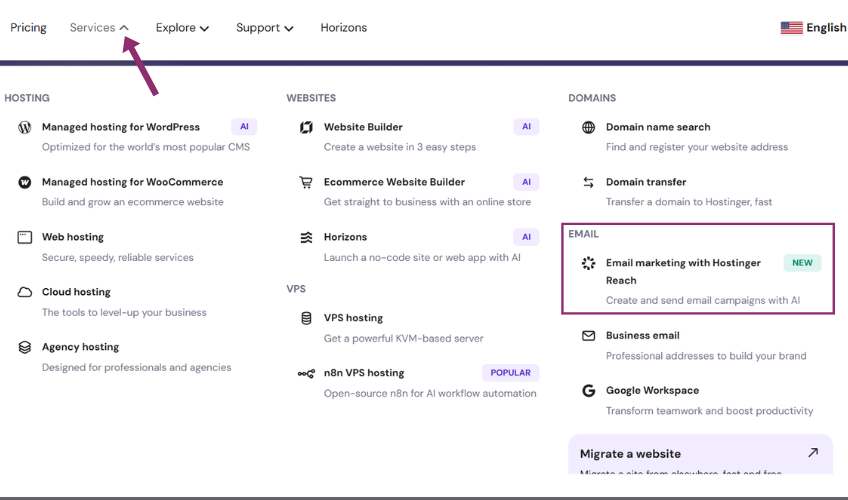
Once you’re there, look for “Services” in their menu. From the dropdown, you’ll want to select “Email Marketing with Hostinger Reach.”
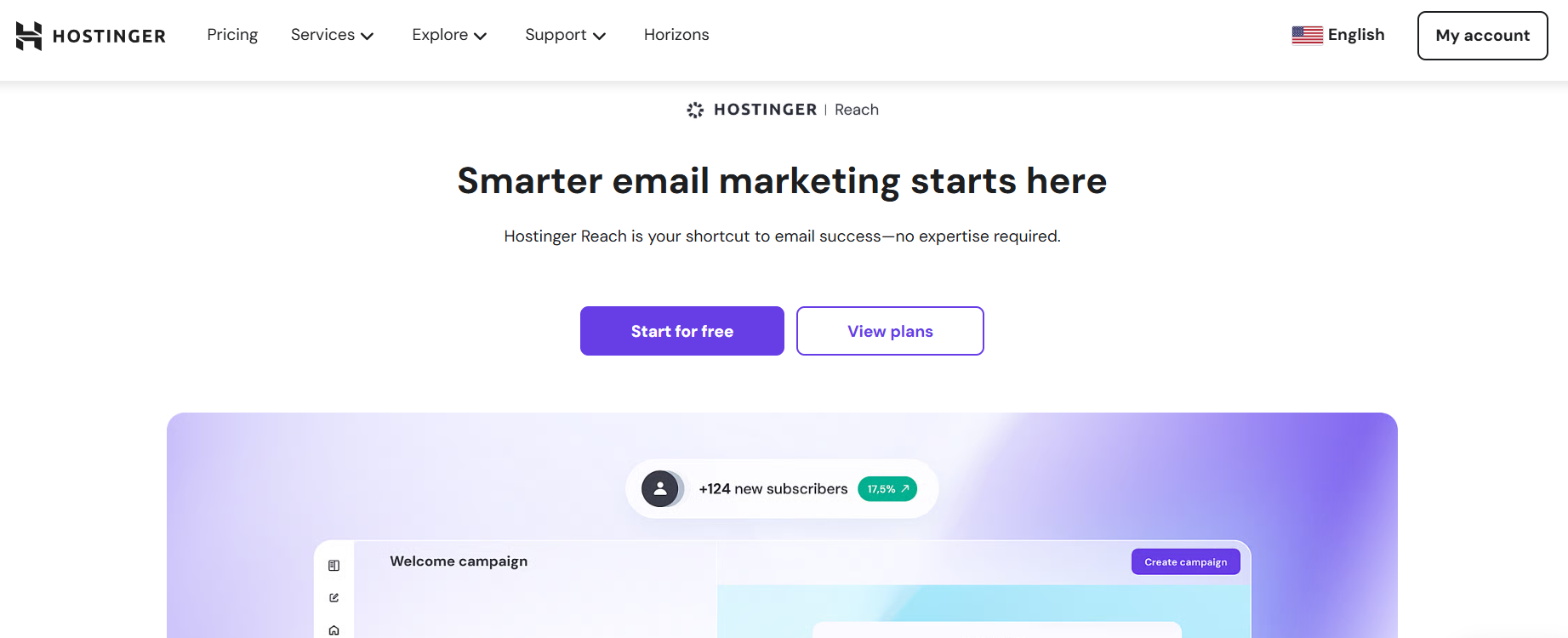
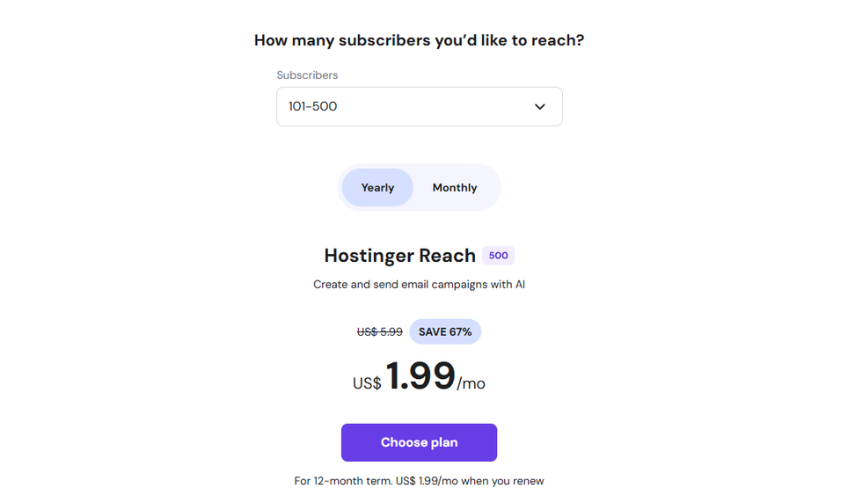
Now, you’ll see a “View plans” button. Click that, and you’ll be taken to a section where you can customise your email marketing plan based on how many subscribers you’re looking to reach. It’s all about finding the right fit for your needs.
After you’ve decided on the perfect plan, click “Choose Plan,” and you’ll be taken to the checkout page.
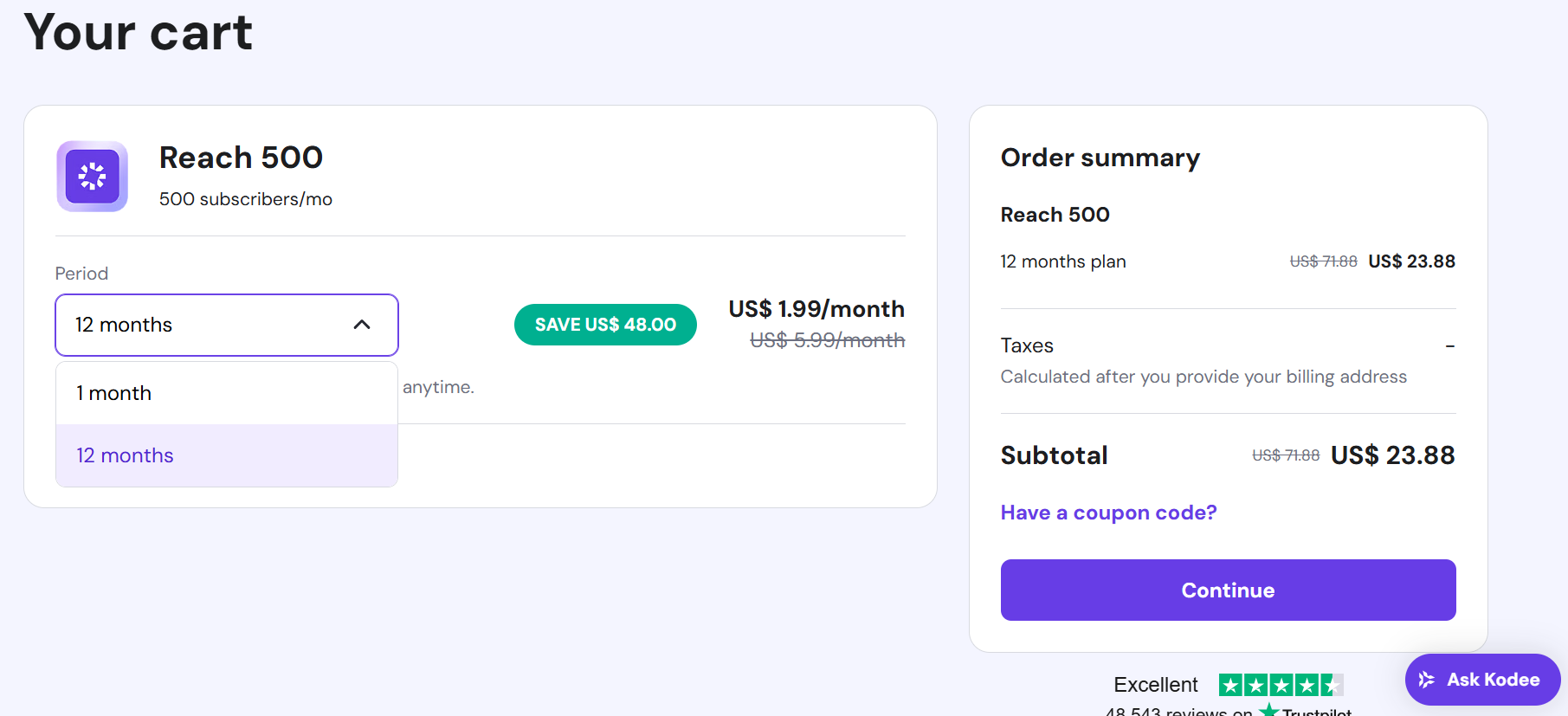
Take a moment to check your billing period to ensure it’s what you want, then click “Continue.”
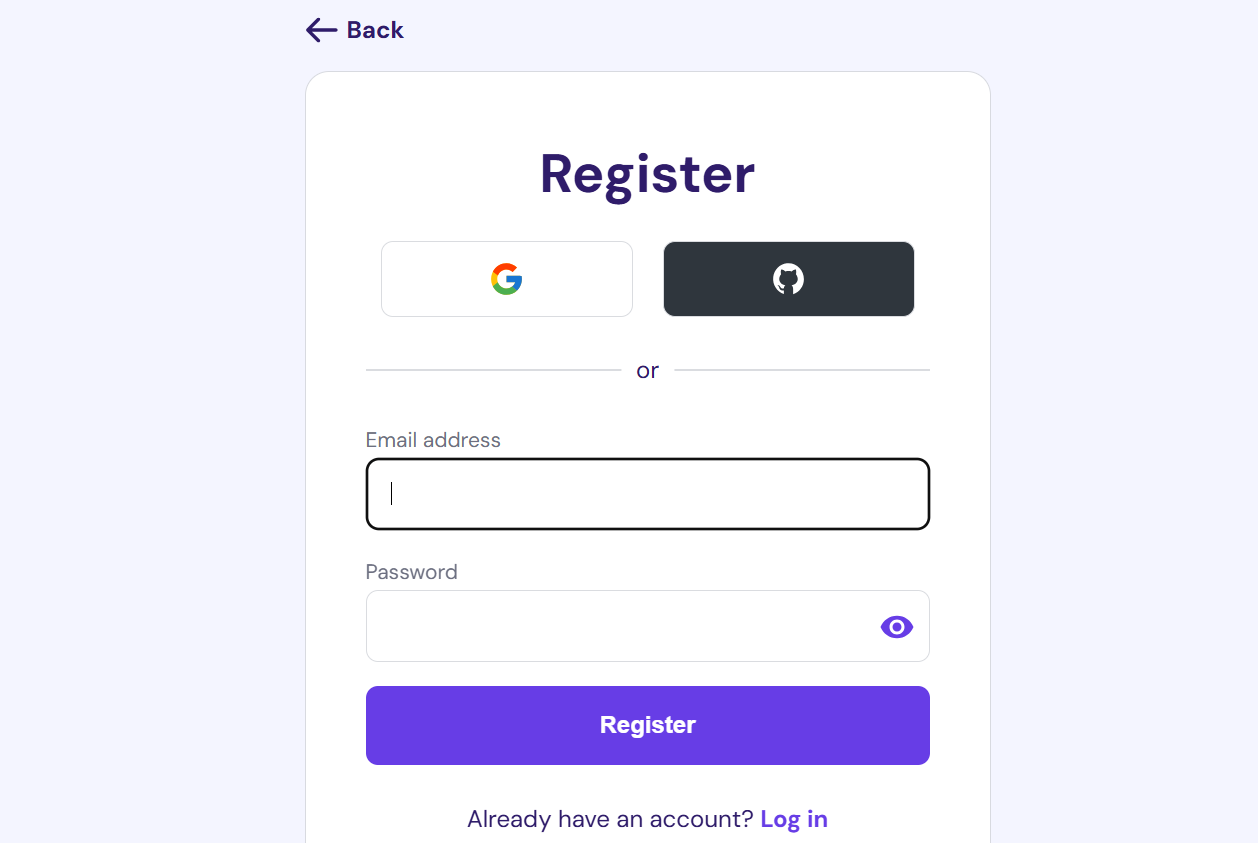
You’ll then be asked to either create a new account by entering your email address and password, or you can simply sign in using your Google or GitHub account for a quick setup.
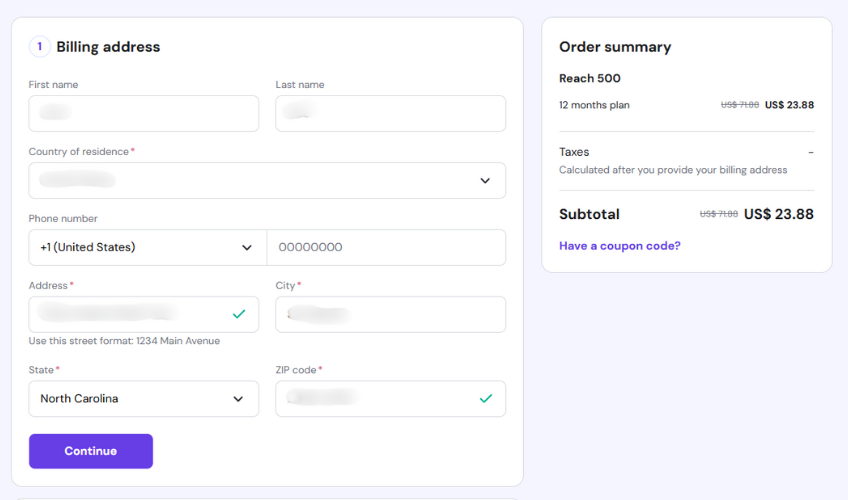
Fill in your contact information and your address.
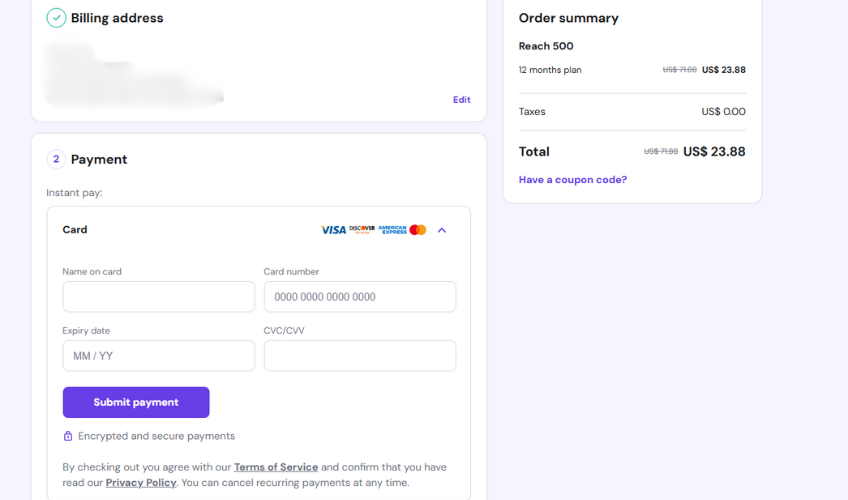
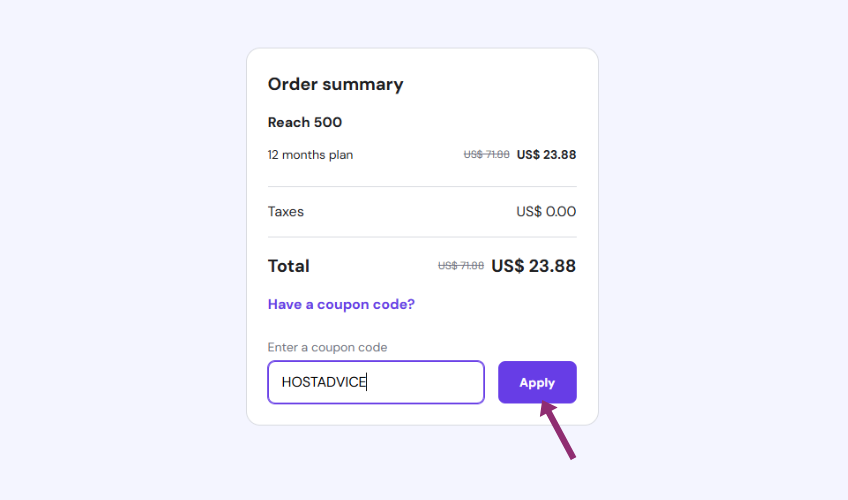
Finally, give everything a quick double-check, add your payment details, and if you have a coupon code copied, just click on the “Have a coupon code?” link to paste it in.
When you find the input box, paste your code, and click “Apply.”
Hit “Submit Payment” to complete your purchase, and you’re all set with your new email marketing service at a discounted price.
Hostinger’s “Reach” is their integrated AI-powered email marketing platform, and it’s all about making your campaigns effortless, right from your Hostinger dashboard. It’s a game changer if you’re looking for a streamlined approach to your email outreach.
“Reach” comes packed with features like AI-powered content writing to help you create engaging emails, mobile-friendly templates for polished, professional messages, and automatic brand styling to keep everything consistent.
It also connects directly with your Hostinger-hosted site and contact forms, so building your email list is easy.
Plus, you get real time performance insights to see how your campaigns are doing. That means less time spent on manual work and more time to actually connect with your audience.
Sometimes, a coupon code might not work on the first try, which can be a bit frustrating. But don’t worry, here are some quick tips to troubleshoot the issue:
Many people wonder if they can combine multiple coupon codes for an even bigger discount, or if existing Hostinger customers can still snag a deal.
Generally, Hostinger coupon codes are limited to one per order. So, you usually can’t stack multiple coupons on a single purchase.
Still, Hostinger often runs great deals that apply automatically or with just one code. That way, you can still get big savings without using multiple coupons.
As an existing customer, you’ll be happy to know that Hostinger does offer renewal discounts for their web hosting, VPS hosting, and Website Builder services, which you can find directly in your hPanel.
Plus, existing customers can sometimes use discount codes when ordering new hosting plans, so keep an eye out for those opportunities.
To get the best value from your Hostinger Reach coupon, keep these useful tips in mind:
Beyond email marketing, Hostinger offers a wide range of services and often runs ongoing promotions.
It’s worth checking the “Coupons” or “Deals” section on their official website to see what’s available. You’ll often find discounts for:
Remember, deals can change, so checking their site regularly, especially around major shopping events like Black Friday in November, can help you snag some great savings!
Hostinger is a popular web hosting provider that’s known for offering a great mix of affordability, solid performance, and ease of use. Here’s a quick overview:
Yes, Hostinger email is secure. It supports industry-standard protocols like SPF, DKIM, and DMARC, and includes built-in anti-spam and antivirus protection.
Yes, you can integrate your Hostinger email with Gmail. By setting up Gmail to fetch emails via POP3 or IMAP, you can manage your Hostinger email within Gmail’s interface.
Absolutely. Hostinger email is compatible with Outlook. You can set it up using IMAP or POP3 by entering the appropriate server settings.
Yes, you can migrate your email to Hostinger. The process involves creating new email accounts, configuring DNS records, and optionally using the Email Import tool to transfer existing messages.
