





- Over 500 Professionally Designed Website Templates
- Drag and Drop Website Builder for Total Design Freedom
- Free Trial with No Credit Card Required

- 30 Day Refund Policy
- Free domain, Free site transfers, Free SSL certificate
- Support available 24/7/365 via Phone, Chat, Tweet, Knowledge Base
Wix vs. HostGator: Quick Summary
Wix is the better choice. It is a complete, beginner-friendly website builder with hosting, security, and design tools bundled into one predictable price. HostGator is a hosting provider, not a website builder, and its standalone Gator builder product has been discontinued for new signups.
What HostGator offers today is WordPress hosting: capable, affordable, and portable, but a meaningfully different starting point that requires more technical comfort to use well.
1. Pricing and Value for Money
Wix costs more upfront but charges the same price at renewal. HostGator is cheaper to start but renews significantly higher. For eCommerce, Wix Core at $29/mo often costs less annually than HostGator with the plugins needed to match it.
Wix
Wix uses flat pricing. There is no promotional intro rate that jumps at renewal. The annual price you see is the annual price you continue to pay.
All plans include:
- Hosting
- SSL
- Security updates
- Managed infrastructure
eCommerce unlocks on the Core plan, which includes abandoned cart recovery and 0 per cent platform transaction fees. Higher tiers add automation and multi-currency tools.
The key advantage is predictability. There are no separate hosting bills, no renewal shock, and no required paid extensions for core store functionality.
HostGator
HostGator follows the traditional hosting model:
- Low introductory rates
- Higher renewal pricing
- Multi-year upfront commitments for the best advertised rate
After renewal, annual hosting costs rise significantly compared to the intro price.
WordPress and WooCommerce are free to install, but real store functionality often requires:
- Premium extensions
- Paid page builders
- Manual plugin setup
- Ongoing updates and maintenance
Hosting covers the server. Everything else is your responsibility.
For a basic website, HostGator can be cheaper long term. For a feature-complete online store, extension costs narrow the price gap quickly.
2. Core Features and Capabilities
Wix includes eCommerce and marketing tools natively from Core. HostGator’s strength is the full WordPress and WooCommerce ecosystem, which is more powerful but requires plugin management.
Wix
Wix Core at $29/mo includes a built-in online store, abandoned cart recovery, Wix Bookings for scheduling, and POS integration via Wix Mobile POS, Square, and SumUp. Business at $39/mo adds automated sales tax and a loyalty programme.

The Wix App Market provides access to over 600 third-party apps. Wix Email Marketing with AI content generation is available at Business tier and above.
Every feature is native: nothing requires plugin installation, compatibility checking, or separate subscription management.
HostGator
HostGator installs WordPress with one click and gives full access to the WordPress plugin ecosystem of over 60,000 plugins. WooCommerce is free to install and provides a powerful eCommerce foundation.

Abandoned cart recovery, subscriptions, multi-currency, and POS are all available as plugins, some free and some paid.
The breadth of what WordPress and WooCommerce can do with plugins far exceeds what Wix’s app market offers. Full file-system and database access via cPanel means your site is entirely portable: you can download everything and move to a different host at any time.
3. Ease of Use
Wix wins on ease of use. If you want a site live today without learning a content management system, Wix is the only realistic choice here.
Editor
How much time and skill will building and maintaining this site actually cost me?
This is the most consequential difference between these two platforms, and it is not a close call. Wix is a website builder. HostGator is a hosting provider that installs WordPress and lets you build from there. Those are categorically different starting points.
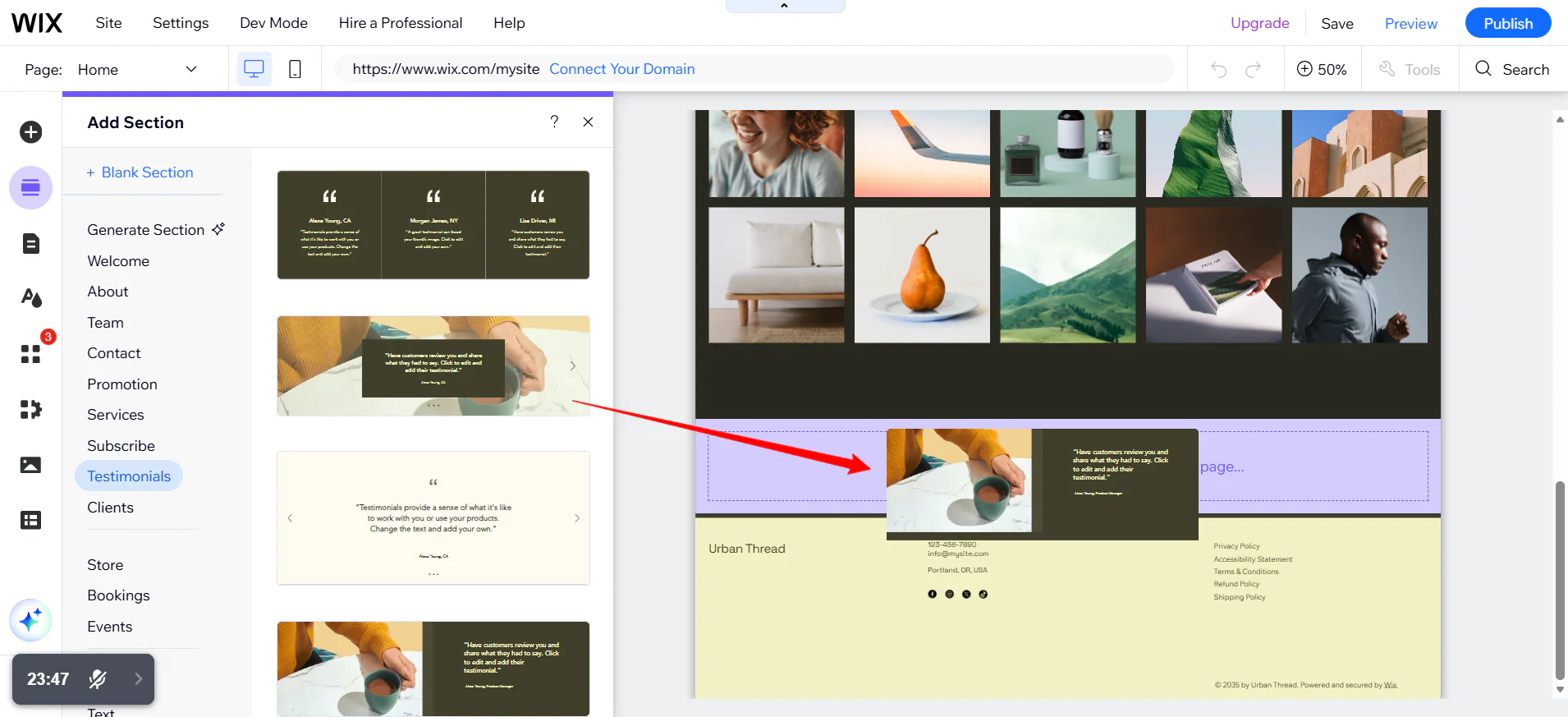
With Wix, you open the editor and start placing elements on a page.
With HostGator, you install WordPress, choose a theme, decide whether to use a page builder like Elementor or Beaver Builder, install that separately, learn its interface, and then start building. Neither path is wrong, but only one of them is beginner-friendly.
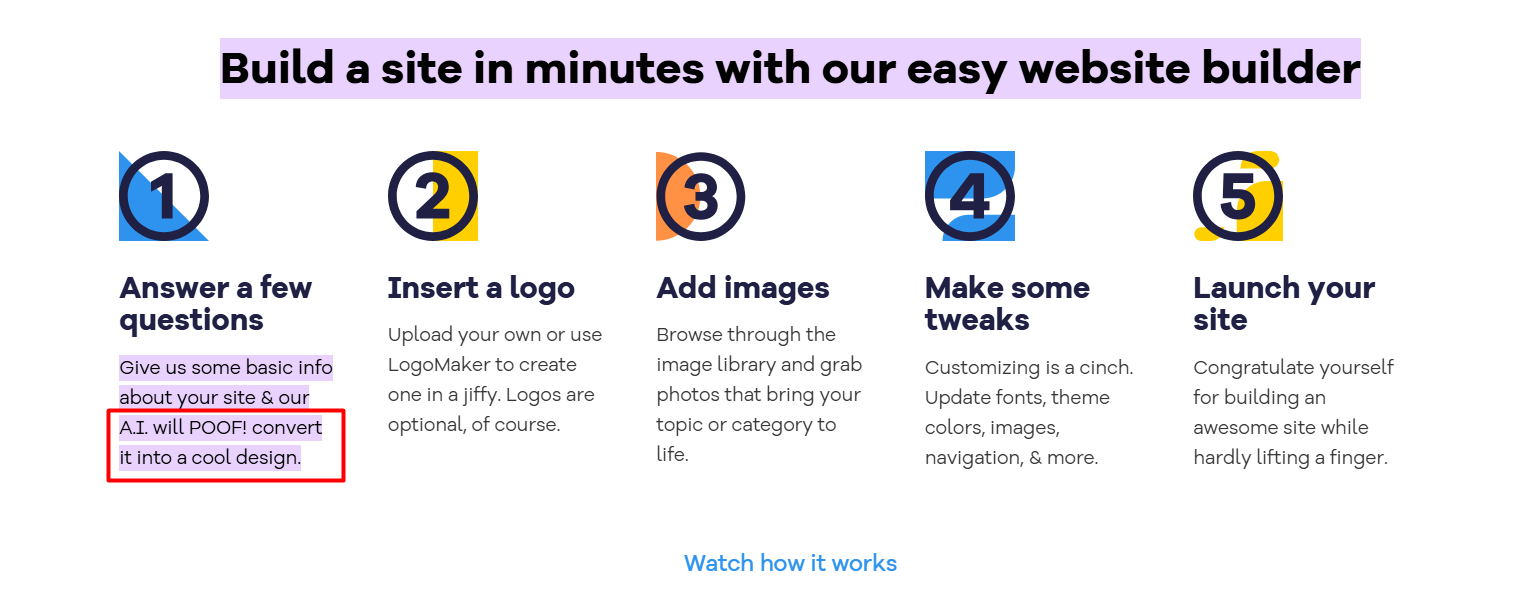
Wix’s AI Website Builder generates a full site, including layout, content, and images from a short onboarding questionnaire. This is a first-party tool built into every plan. You can edit the result or start from scratch with a template. Both paths work without writing a line of code.
HostGator lists “AI Site Creation Tools” on current plans, but this refers to WordPress AI plugins and tools, not a proprietary HostGator builder. The experience is fundamentally plugin-dependent, not native.
One genuine advantage for HostGator: WordPress themes can be switched at any point without starting over.
On Wix, if you decide you hate your template six months in, you have to create a new site, rebuild your content, and transfer your domain and plan. That is a significant constraint if your design instincts tend to evolve.
AI Features
Will AI meaningfully reduce setup time and ongoing work, or is it mostly marketing?
Both platforms advertise AI features. The gap is not presence versus absence; it is depth and ownership. Wix builds its AI tools directly into the platform. HostGator’s AI story is entirely plugin-dependent.
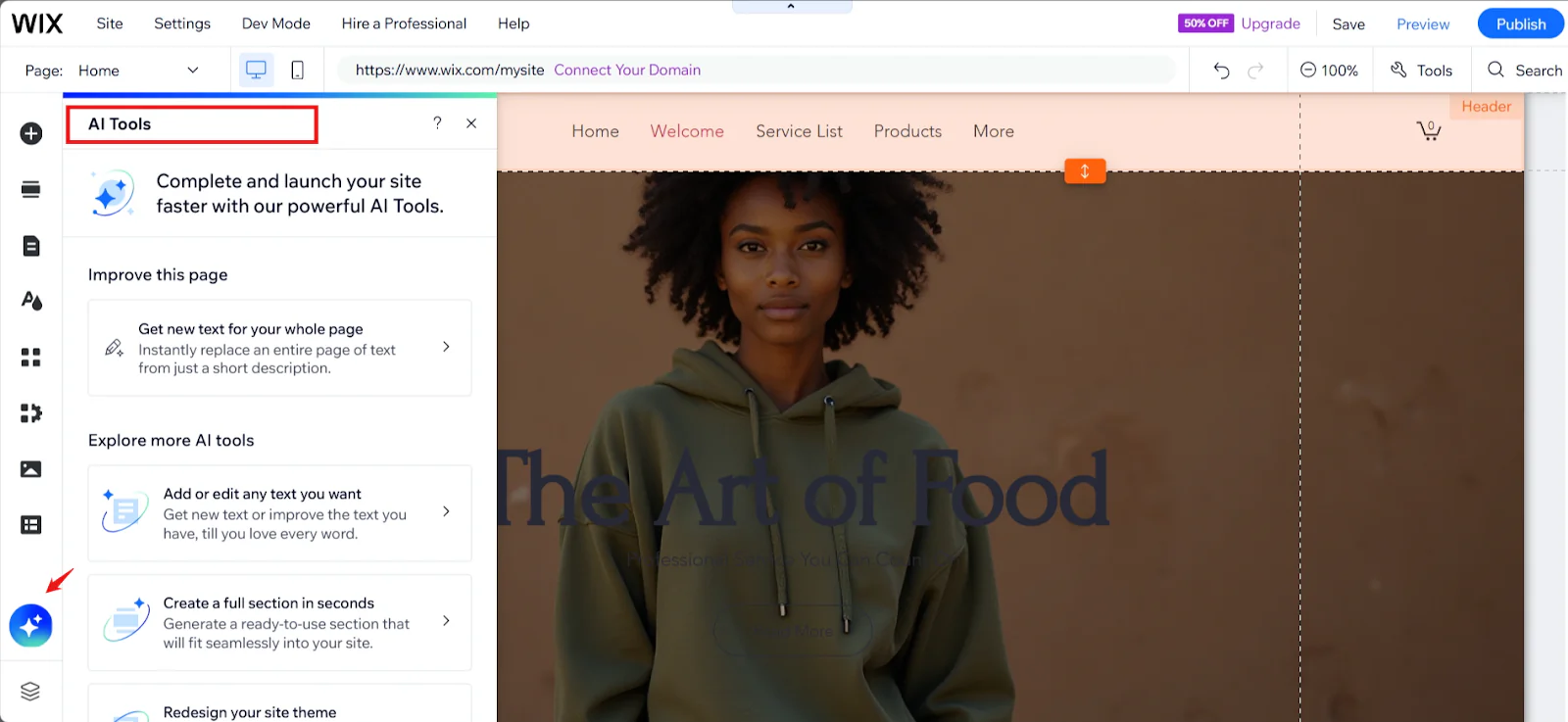
Wix AI generates a complete site from your business type, goals, and a few inputs. Wix Harmony (launched 2025) allows ongoing vibe-coding style changes to layout and design through natural language prompts.

Wix AI Text Creator generates page copy, blog posts, and product descriptions natively on all plans. These are first-party tools: they work from day one, they are updated by Wix, and they do not require a separate subscription.
HostGator’s AI features, as currently documented, refer to WordPress AI plugins such as Jetpack AI and Yoast content tools, not a proprietary HostGator product.
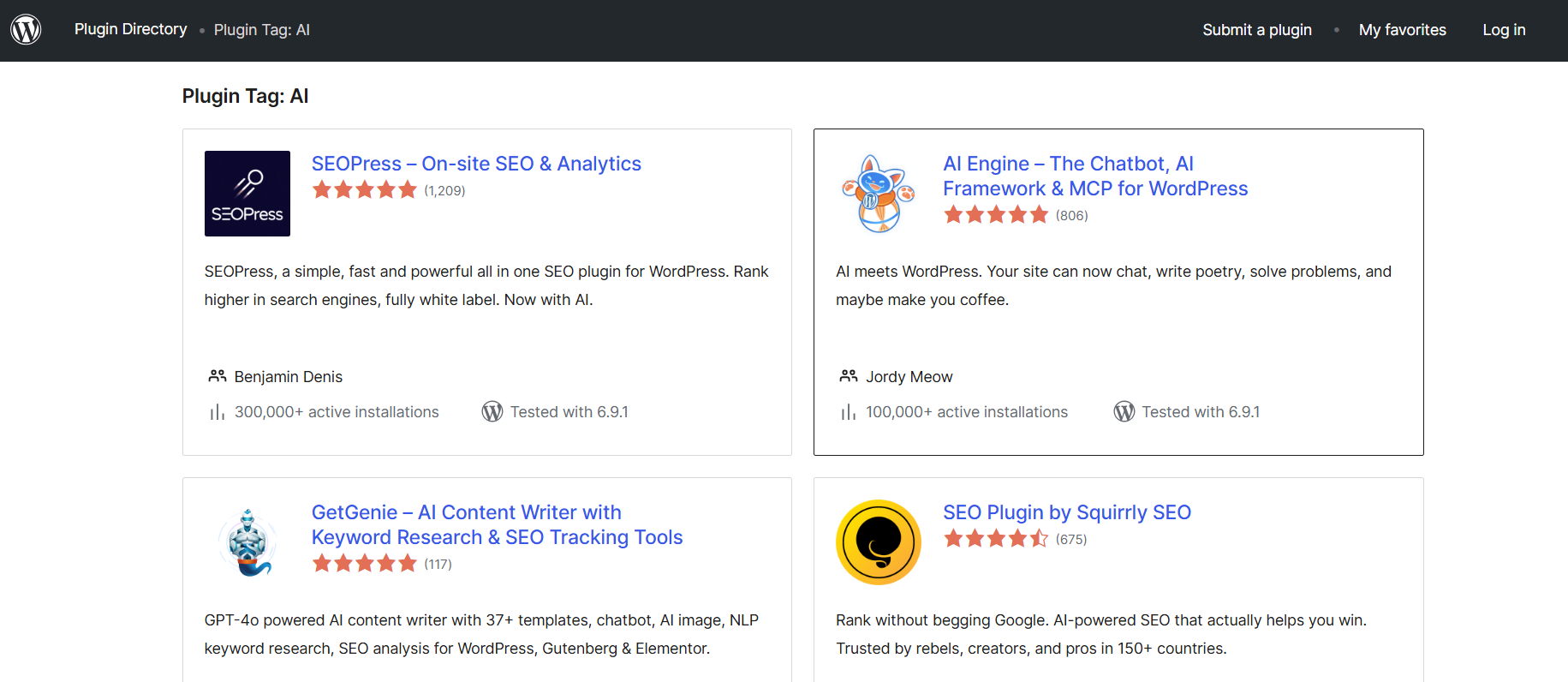
That means the quality of your AI experience depends on which plugins you install, whether they conflict with each other, and whether you are willing to pay for premium tiers.
The honest caveat for Wix is that AI-generated content still needs editing. AI produces a starting point, not a finished site. But a native starting point beats a plugin-dependent one for anyone who is not comfortable managing a WordPress plugin stack.
4. Design Quality and Templates
Wix wins on design tools and execution speed. HostGator’s WordPress hosting edges ahead only if theme portability and raw volume of choice are your priority.
Will I be happy with how my site looks, and what happens if I’m not six months from now?
Wix offers 2000+ templates across categories, all built for the Wix drag-and-drop editor.
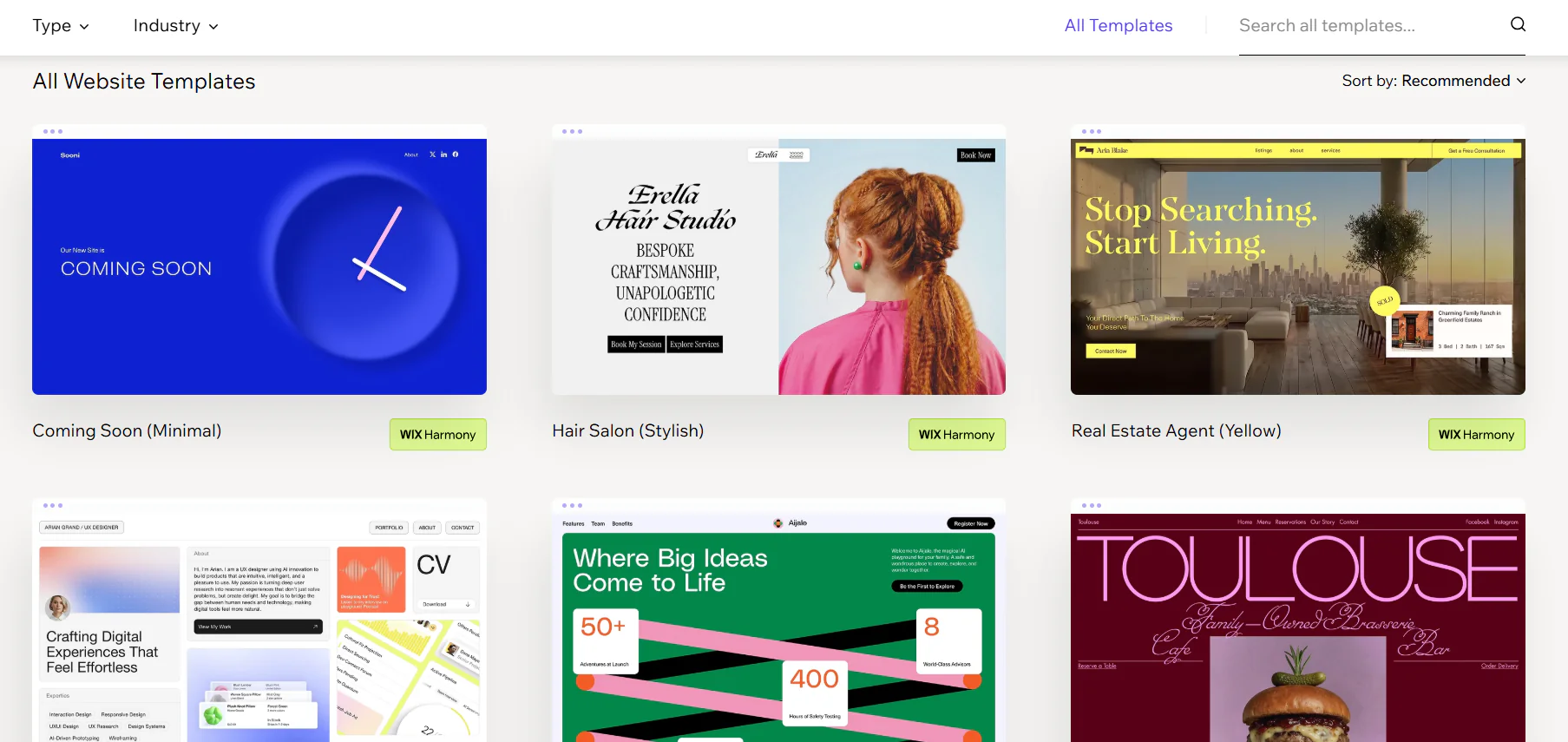
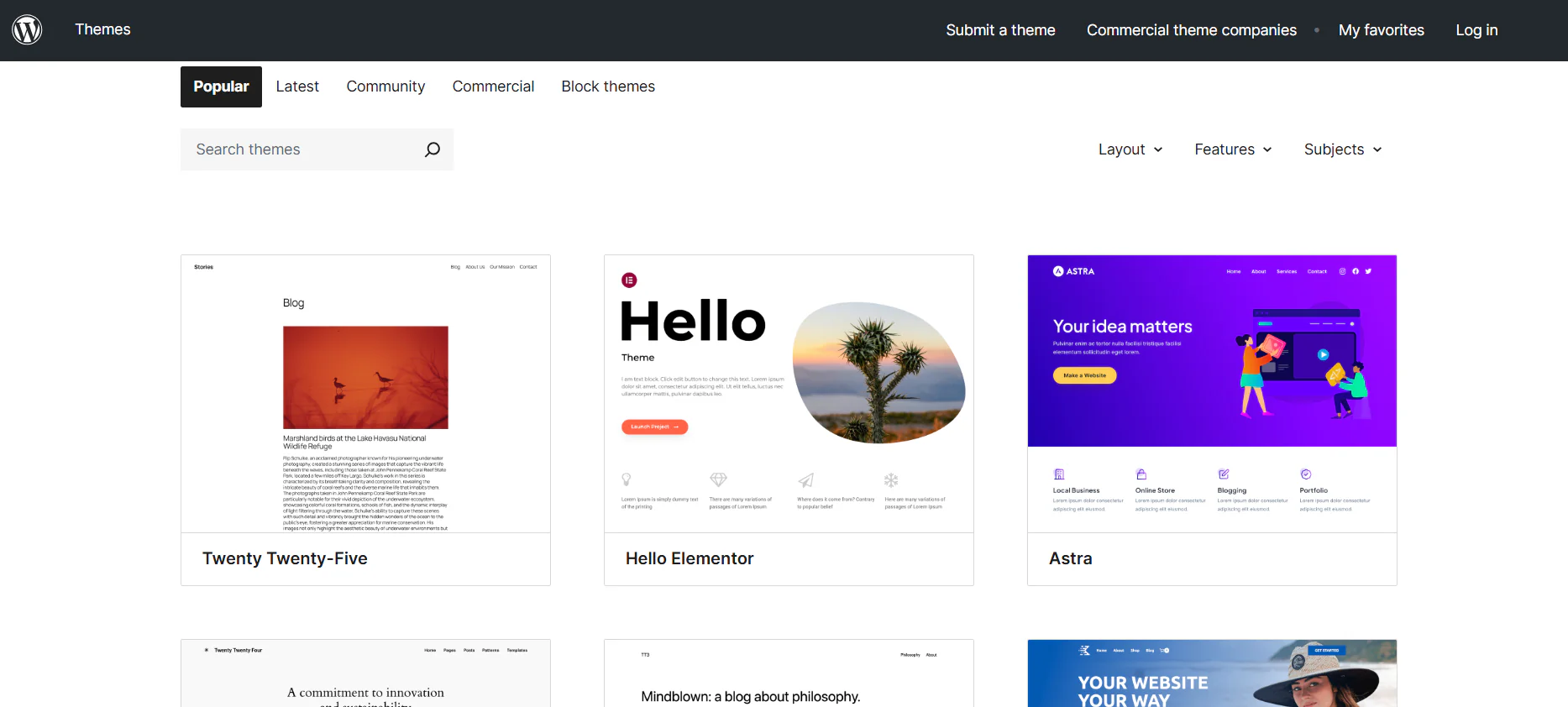
HostGator gives you access to thousands of WordPress themes. On raw volume, WordPress wins by an enormous margin. But volume is not the same as usability.
Wix templates are designed to work within the Wix editor, which means every element is immediately editable with the same interface.
WordPress themes vary enormously in quality, built-in customisation options, and compatibility with plugins. A free WordPress theme that looks stunning in a screenshot may require a paid page builder to customise meaningfully.
The real design question is not how many templates exist, but how much control you have without hiring a developer. Wix’s drag-and-drop lets you position elements at the pixel level on desktop, plus a dedicated mobile editor for mobile-specific layout adjustments.
WordPress uses responsive themes, which adjust automatically but do not give you the same mobile-specific control natively.
5. Performance and Reliability
Wix wins on infrastructure transparency and published uptime commitments. HostGator delivers solid practical performance but publishes a lower uptime guarantee and its infrastructure serves you rather than manages itself.
Wix
Wix runs on a multi-cloud infrastructure combining Google Cloud, AWS, Fastly, and its own distributed data centers, supported by 200+ CDN nodes worldwide. Paid plans are backed by a 99.99 per cent uptime SLA, with automatic disaster recovery that reroutes traffic during regional outages.
Performance handling is automatic:
- WebP image conversion
- Brotli compression
- Server-side rendering with CDN-cached HTML
- Built-in site speed dashboard with Core Web Vitals tracking
In 2025, the average Wix site load time is reported at 2.7 seconds, with Core Web Vitals compliance around 77 per cent across the ecosystem. Infrastructure maintenance happens without downtime from the user’s perspective.
Wix is fully managed. No server configuration, patching, or caching setup is required.
HostGator
HostGator offers a 99.9 per cent uptime guarantee, backed by a credit if that threshold is missed. Its primary data centers are located in Utah and Texas, which favours US audiences. International performance depends on CDN configuration.
Key points:
- SSL included on all plans
- Cloudflare CDN included only on higher-tier shared plans
- Real-world uptime testing has ranged between roughly 99.6 per cent and 99.98 per cent, depending on the monitoring window
- Average load times in independent tests range from 0.6 to 1.8 seconds, depending on configuration and test region
HostGator manages the physical servers, but you are responsible for:
- WordPress core updates
- Theme and plugin updates
- Caching configuration
- Security hardening
Most performance issues on shared hosting come from outdated plugins, theme conflicts, or poorly configured caching rather than the hardware itself.
6. SEO and Marketing Tools
Both platforms cover the foundational SEO requirements. Wix wins for non-technical users who want built-in controls. WordPress wins for technical SEO practitioners who need unrestricted file access.
Will this platform help or hurt my ability to get found on Google?
Both platforms cover the technical SEO fundamentals. The difference is how directly accessible those controls are.
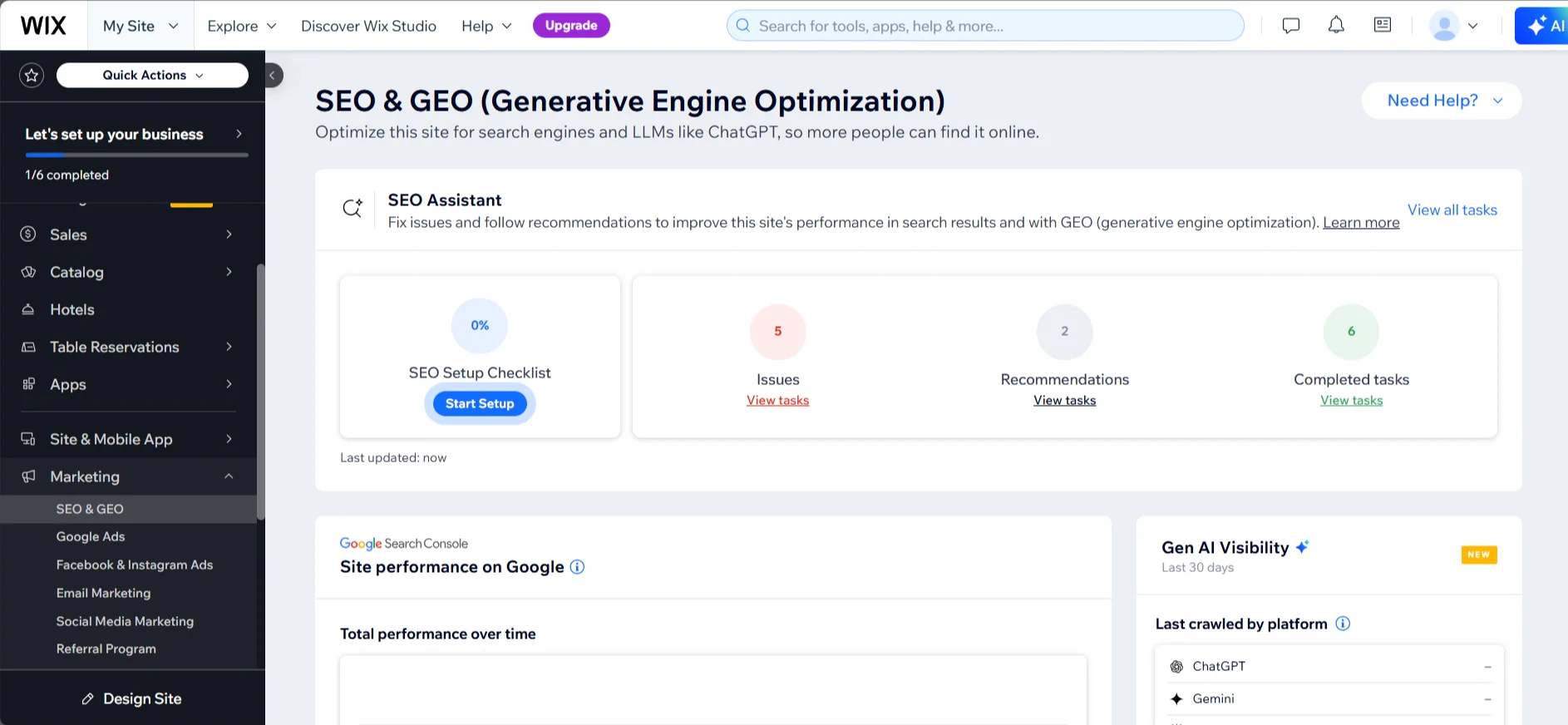
Wix has a dedicated SEO Dashboard that includes a built-in robots.txt editor, a URL redirect manager (supporting both 301 and 302 redirects), custom URL slugs on all page types, and direct Google Search Console integration.
These are available on all plans without installing anything. For a non-technical user, Wix’s SEO setup is genuinely accessible in a way that WordPress is not by default.
HostGator’s WordPress hosting gives you full file system access via cPanel and FTP, meaning complete control over robots.txt with no restrictions. Custom permalinks are fully configurable in WordPress settings.
Redirects can be managed via .htaccess, the Redirection plugin, or WordPress settings. Google Search Console integration works through Yoast SEO, which is included as a free plugin.
WordPress’s SEO ceiling is higher because you have full file-level access and a mature plugin ecosystem. For most users managing a standard business or portfolio site, that ceiling is irrelevant. Both platforms offer everything you need to rank.
7. Integrations and Ecosystem
HostGator’s WordPress ecosystem is larger by a significant margin. Wix’s app market covers most small business needs without configuration work.
Wix
The Wix App Market provides access to over 600 third-party and native applications. Wix Payments, Wix Bookings, Wix Loyalty, and POS integration via Wix Mobile POS, Square, and SumUp are built in at the relevant plan tiers.
Wix Email Marketing with AI content generation is available from Business tier.

The Velo developer platform allows custom JavaScript and external API connections for users who need capabilities beyond the visual editor.
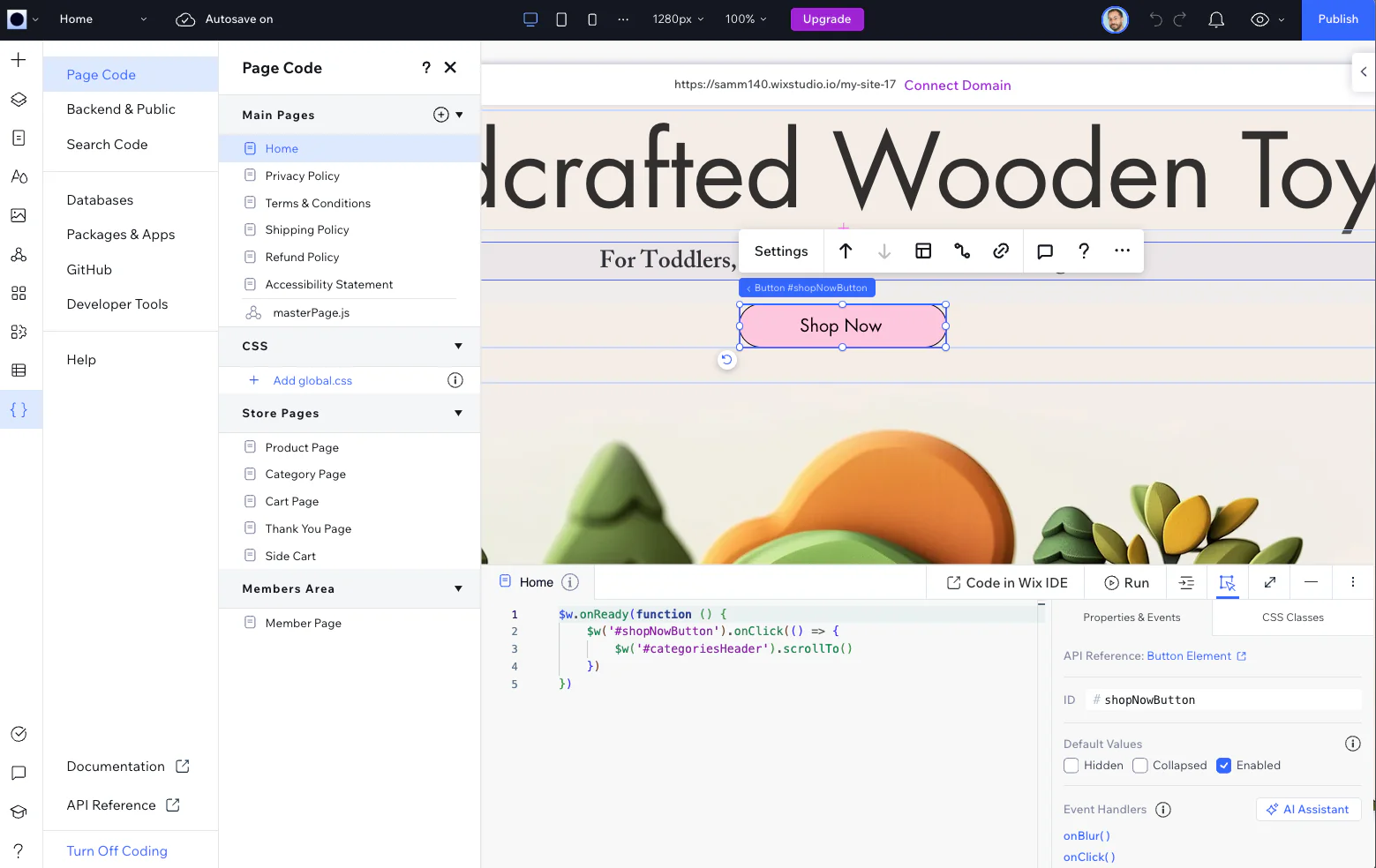
Every integration works within the managed Wix environment with no compatibility concerns.
HostGator
HostGator’s value in this section is access to the WordPress ecosystem. Over 60,000 plugins covering every conceivable integration.
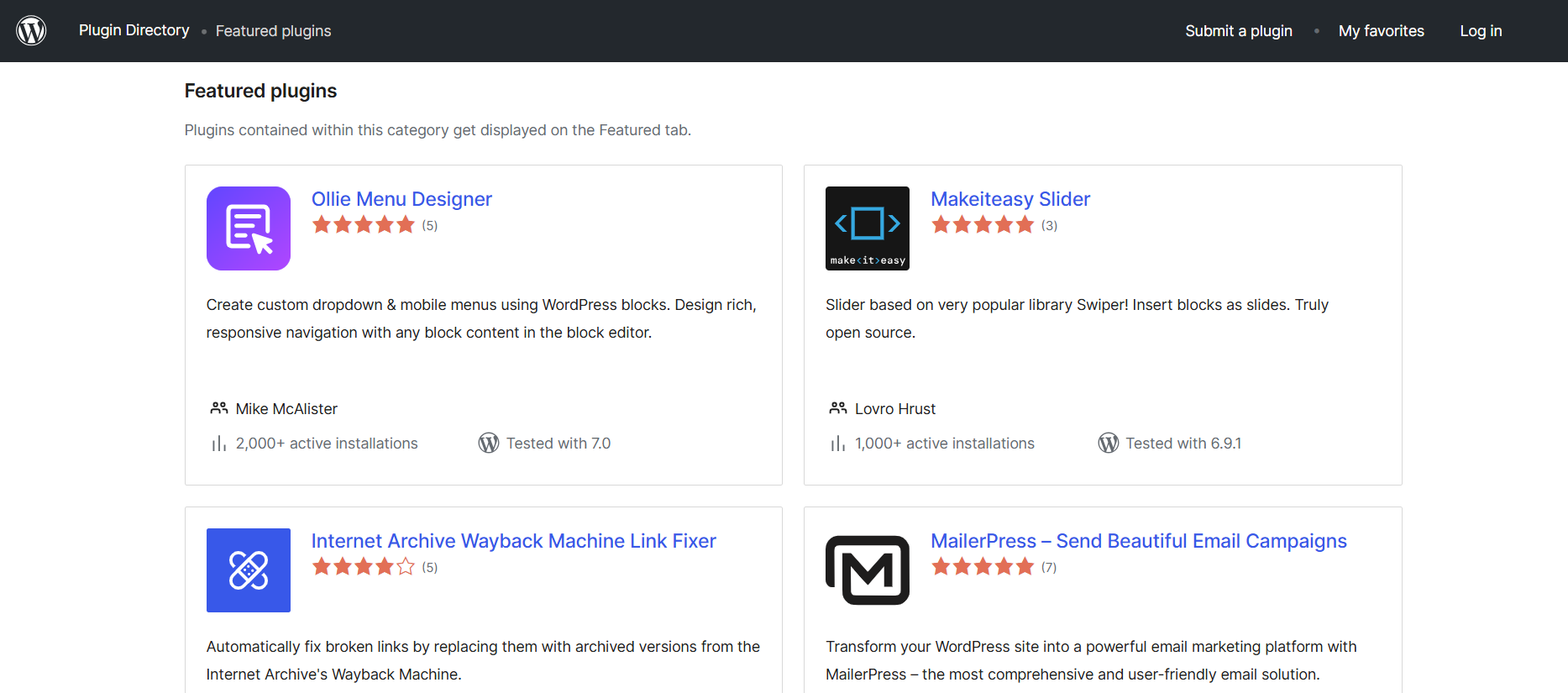
Any payment gateway, CRM, booking system, email marketing platform, or custom API connection you need exists as a plugin. The tradeoff is that plugins must be evaluated for compatibility, installed, configured, updated, and maintained.
Plugin conflicts on shared hosting are a real risk that Wix users never encounter.
Full cPanel and file system access means the site is entirely portable: download your WordPress files and database and move to any host at any time.
The Bottom Line
Wix is the winner for most people comparing these two platforms. The fundamental reason is that Wix is an actual website builder and HostGator is a WordPress hosting provider.
HostGator’s standalone builder product was discontinued for new signups, and what remains requires a meaningfully higher level of technical comfort to use well.
HostGator is the right call if you are already a WordPress user, want full site portability, need the flexibility of the full plugin ecosystem, or are building a content-heavy site where WordPress’s editorial tools are genuinely better suited to your workflow.

